
A wireless mouse with USB-C can make life easier if you want one cable standard for your laptop, tablet, dock, or charging setup. The best options are not just about the connector, though—they also need solid battery life, comfortable shape, reliable tracking, and the right kind of wireless connection for your device.
This guide highlights five strong types of wireless mice that use USB-C in useful ways, whether that means USB-C charging, a USB-C receiver, or both. It also explains the features that matter most so you can choose the right mouse for work, travel, or gaming.
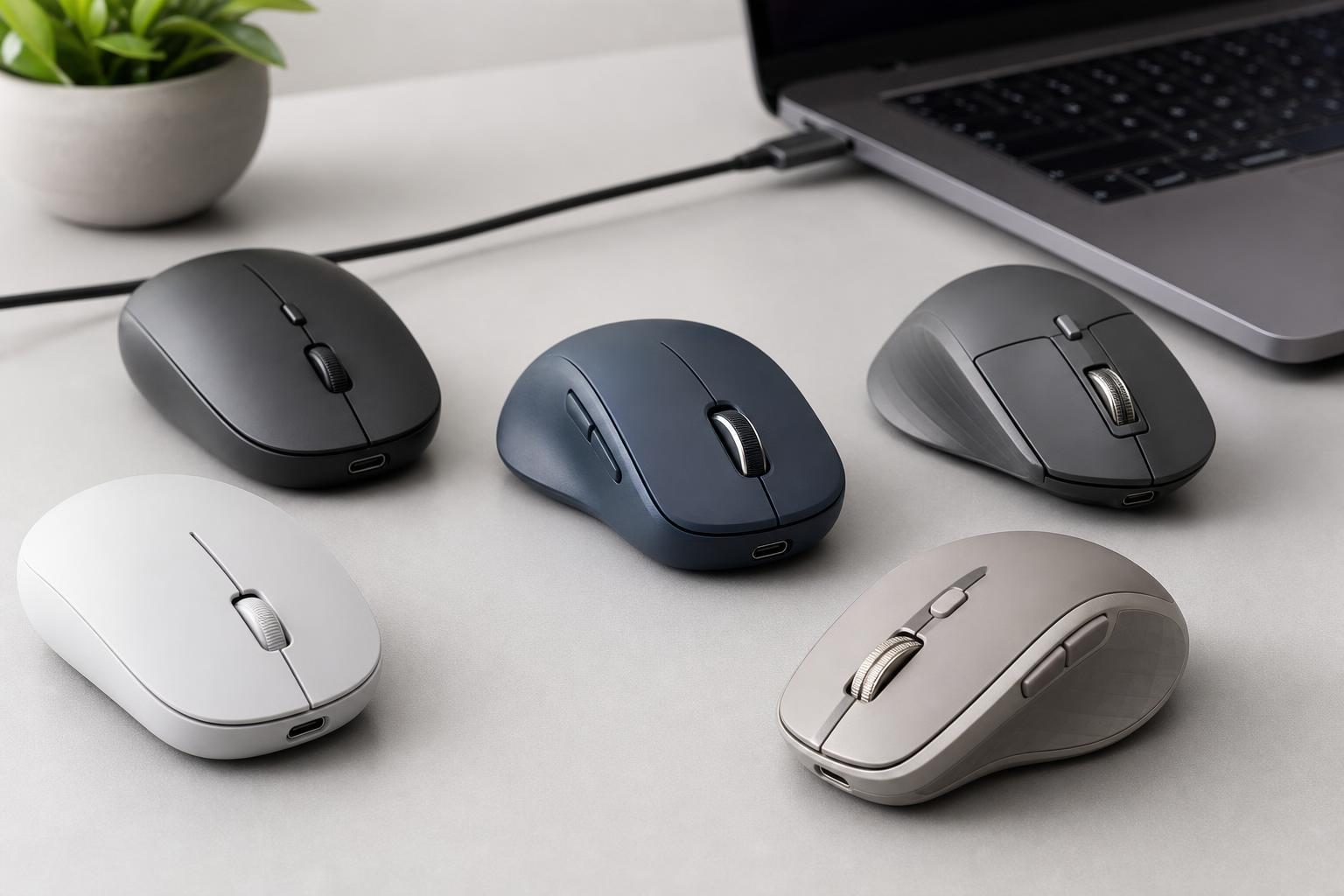
What to Look for in a Wireless Mouse With USB-C
Before choosing a model, it helps to know what "USB-C" actually means in this category. Some mice charge over USB-C but still connect wirelessly through Bluetooth or a 2.4 GHz USB receiver. Others may include a USB-C dongle, which is more convenient on newer laptops with only USB-C ports.
- USB-C charging: easier if you already use USB-C cables for your other devices
- USB-C receiver support: useful for laptops and tablets that have mostly USB-C ports
- Battery life: important if you do not want to charge often
- Shape and grip: especially important if you use the mouse for long work sessions
- Bluetooth vs. 2.4 GHz: Bluetooth is convenient for multi-device use, while 2.4 GHz often feels more responsive
- Programmable buttons: helpful for productivity and gaming
- Quiet clicks: useful in offices, libraries, and shared spaces
1. Logitech MX Master 3S
The Logitech MX Master 3S is one of the most popular premium wireless productivity mice. It charges by USB-C and connects through Bluetooth or Logitech's receiver, making it a strong choice for people who use multiple devices. Its thumb wheel and extra buttons are especially helpful for spreadsheets, editing, and navigation-heavy work.
It is not the smallest mouse to carry around, but it is very comfortable for full-day use. If you spend a lot of time at a desk and want a mouse that feels refined and efficient, this is one of the most practical choices.
2. Razer Pro Click Mini
The Razer Pro Click Mini is a compact wireless mouse with USB-C charging that suits people who want portability without giving up quality. It is easier to pack than a full-size productivity mouse, but still gives you enough comfort for everyday work. Quiet clicks make it a good fit for shared offices and meetings.
This mouse is especially appealing if you move between a laptop bag, desk dock, and coffee shop setup. Its smaller size is not ideal for everyone, though, so users with larger hands may want to test the shape first.
3. Logitech Pebble Mouse 2 M350s
The Logitech Pebble Mouse 2 M350s is a compact, lightweight wireless mouse that charges over USB-C and is easy to carry anywhere. It focuses on simplicity rather than extra features, which makes it appealing for students, office workers, and casual users who want something tidy and dependable.
Its low-profile design is comfortable for quick tasks, browsing, and document work. If you prefer a minimal mouse that does not take up much space in a bag or on a desk, this is a smart option.
4. ASUS ROG Harpe Ace Aim Lab Edition
The ASUS ROG Harpe Ace Aim Lab Edition is aimed at gamers who care about speed, precision, and low weight. It uses USB-C charging and offers the kind of responsive wireless performance that matters in fast-paced games. The lightweight design can make quick aim adjustments feel easier and less tiring.
It is a better fit for gaming than office work, especially if you prefer a simpler shape and fewer productivity-focused extras. If you want a mouse that feels agile and competitive, this one stands out.
5. Microsoft Bluetooth Mouse
The Microsoft Bluetooth Mouse is a simple wireless option for general use. While the mouse itself is built around Bluetooth rather than a dongle-heavy setup, it fits well in a USB-C environment because it pairs cleanly with modern laptops and can be charged or carried alongside USB-C accessories without hassle.
This is a good choice if you want a dependable mouse for school, office work, or casual browsing and do not need advanced features. Its strength is simplicity, not customization.
Which Mouse Should You Choose?
- Choose the Logitech MX Master 3S if you want the best overall productivity features.
- Choose the Razer Pro Click Mini if portability and quiet operation matter most.
- Choose the Logitech Pebble Mouse 2 M350s if you want a simple, compact mouse for daily use.
- Choose the ASUS ROG Harpe Ace Aim Lab Edition if you need a light, responsive gaming mouse.
- Choose the Microsoft Bluetooth Mouse if you want a basic, no-fuss wireless mouse for everyday tasks.
Tips for Buying the Right USB-C Wireless Mouse
- Check whether the mouse charges with USB-C or only uses a USB-C receiver.
- Make sure the shape works for your hand size and grip style.
- Decide whether you prefer Bluetooth, a receiver, or both.
- Look at battery life if you do not want to charge frequently.
- Consider quiet buttons if you work around other people.
- If you game, pay attention to sensor performance and latency rather than extra desk features.
A Quick Way to Narrow Down the Best Option
If you mainly work at a desk, start with comfort and productivity features. If you travel often, prioritize size and battery life. If you play games, focus on sensor quality and weight. Once you know which of those matters most, the right wireless mouse with USB-C becomes much easier to pick.





