
A gaming laptop can do double duty as a desktop replacement, but only if the docking station is up to the job. The right dock should handle your monitor setup, keyboard and mouse, storage devices, network connection, and power delivery without bottlenecks or compatibility headaches.
This guide explains what makes a docking station a good fit for gaming laptops and highlights the five best types of docking stations to consider, based on the features that matter most for gamers and heavy laptop users.
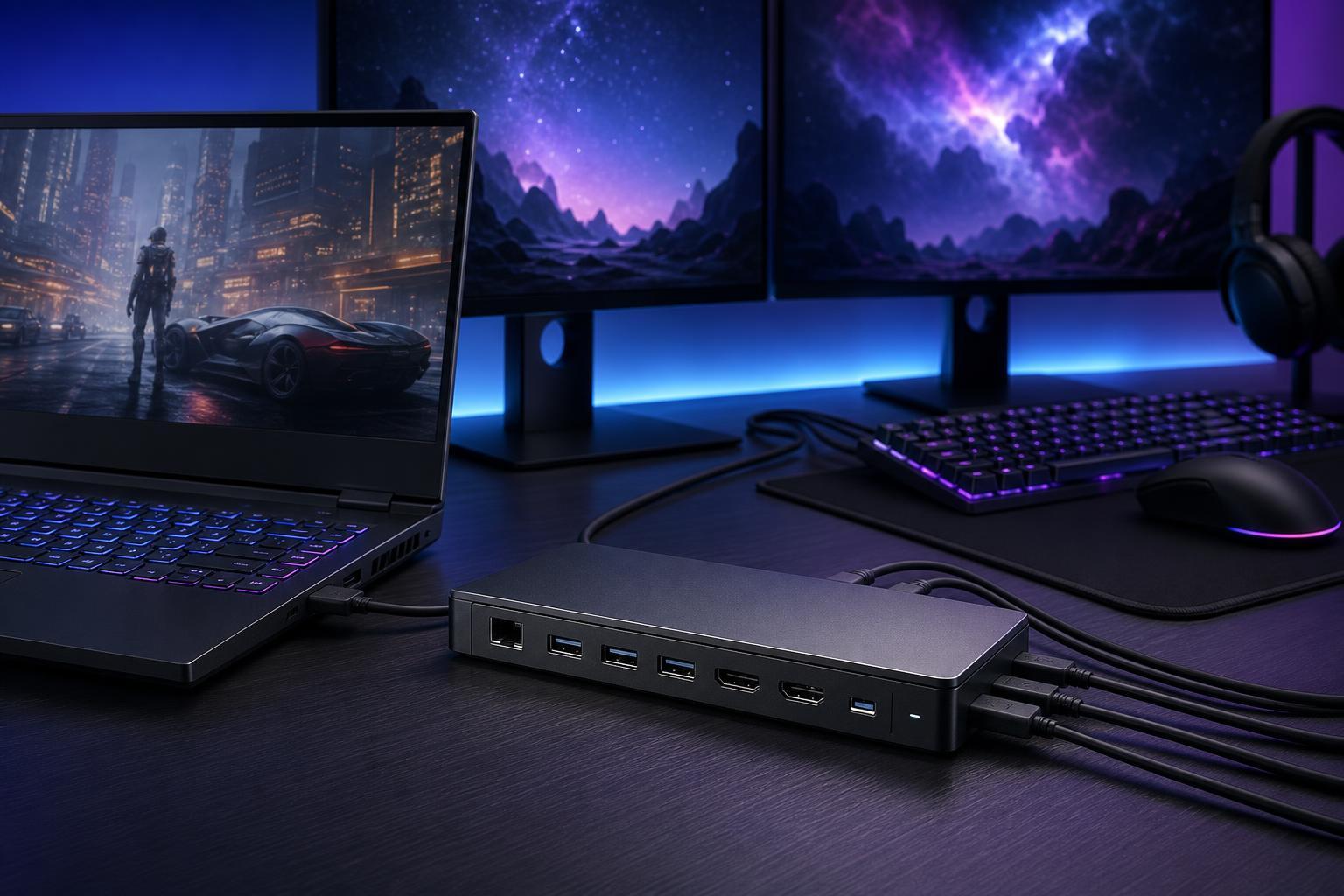
What a Gaming Laptop Dock Needs to Do
Not every USB-C dock is a good match for a gaming laptop. Many office-focused docks are fine for charging a laptop and connecting a few accessories, but they may fall short if you want multiple high-resolution displays, fast data transfer, stable networking, and enough bandwidth for a clean desktop setup.
- Support for the right connection type, such as USB-C, USB4, or Thunderbolt
- Enough video output options for your monitor setup
- Power delivery that can keep the laptop charged under load, if supported by the laptop
- Fast USB ports for accessories, controllers, headsets, and storage
- Ethernet for low-latency online gaming and reliable downloads
- Solid build quality and good thermal handling for long sessions
1. Thunderbolt 4 Docking Stations
Thunderbolt 4 docks are among the most versatile options for gaming laptops. They usually offer strong bandwidth, reliable display support, multiple USB ports, Ethernet, and power delivery through a single cable. For many gaming laptop owners, this is the closest thing to a true one-cable desktop setup.
- Excellent all-around connectivity
- Better chance of supporting higher-resolution or higher-refresh displays
- Good choice for users who switch between portable and desk use often
- Usually more expensive than standard USB-C docks
The main downside is cost and compatibility. If your gaming laptop does not support Thunderbolt, a Thunderbolt dock may still function as a basic USB-C hub in limited cases, but you will not get the full benefit.
2. USB4 Docks for Modern Gaming Laptops
USB4 docking stations are increasingly attractive for gaming laptops because they can deliver high bandwidth and broad device compatibility. In practice, they can be a smart middle ground between standard USB-C docks and higher-end Thunderbolt models.
- Strong performance on supported laptops
- Often more affordable than premium Thunderbolt docks
- Good option for external displays and fast peripherals
- Compatibility can vary more between laptop models than many buyers expect
If you are shopping for a recent gaming laptop and want a future-proof docking option, USB4 is worth serious consideration. Just make sure the dock’s advertised features match what your laptop can actually use.
3. USB-C Display Docks
A good USB-C display dock can be enough for many gaming laptop setups, especially if you use one external monitor and do not need the extra bandwidth of Thunderbolt or USB4. These docks are usually easier to find and less expensive than premium options.
- More affordable than high-end dock standards
- Good for basic desk setups
- Works well for keyboards, mice, headsets, and storage
- May be limited with multiple monitors or very high refresh rates
This is often the best budget-conscious choice if you mainly want convenience and do not need a complicated display arrangement.
4. Vertical Laptop Docks and Stand Docks
Some docking stations are designed to hold the laptop upright while connected to peripherals. These can be especially appealing for gaming laptops, which are often bulky and generate a lot of heat during demanding sessions.
- Cleaner desk layout
- Can improve airflow around the laptop body
- Convenient for users who keep the laptop closed at the desk
- Usually depends on the laptop’s port placement and chassis shape
These are not always the best choice for every gamer, but they can be ideal if you want a compact desktop-style setup without laying the laptop flat on the desk.
5. Portable USB-C Hubs with Dock Features
A portable USB-C hub is not a full desktop dock, but it can still be a practical option if you move between locations often. Many include HDMI output, Ethernet, SD card readers, and a few USB ports in a small body that fits easily into a laptop bag.
- Lightweight and easy to carry
- Useful for travel and temporary desks
- Usually cheaper than full-size docks
- Typically weaker for long-term multi-monitor gaming setups
These are best viewed as convenience tools rather than full performance docking stations.
How to Choose the Right Dock for Your Gaming Laptop
- Check your laptop’s port support first. Confirm whether it has Thunderbolt, USB4, or standard USB-C with DisplayPort Alt Mode.
- Match the dock to your monitor setup. One 1080p monitor has very different bandwidth needs from dual 4K displays or a high-refresh gaming monitor.
- Decide whether charging through the dock is important. Some gaming laptops still need their original power adapter for full performance.
- Look for enough USB ports for your actual accessories, not just a minimum count on the box.
- Prioritize Ethernet if you play competitive online games or download large installs regularly.
- Make sure the dock’s cable length and layout fit your desk space and laptop placement.
Features That Matter Most for Gaming
- High-refresh display support
- Stable video output with minimal flicker or disconnects
- Reliable power delivery, if your laptop supports charging over the dock
- Fast storage and accessory ports for external SSDs, controllers, and capture devices
- Ethernet for lower-latency networking
- Good thermal design in the dock itself
Common Mistakes to Avoid
- Buying a dock before confirming laptop compatibility
- Assuming every USB-C port supports video output
- Expecting all docks to support dual monitors at high refresh rates
- Overlooking charging limits and still needing the laptop’s original power adapter
- Choosing a tiny travel hub for a full-time gaming desk setup
The Best Choice Depends on Your Setup
There is no single perfect docking station for every gaming laptop. Thunderbolt 4 docks are usually the best premium choice, USB4 docks are a strong modern alternative, and USB-C display docks can be excellent for simpler setups. If portability matters more than desk performance, a compact hub may be all you need.
The right dock should make your laptop feel more like a desktop without creating extra friction. Focus on compatibility first, then choose the level of connectivity that fits how you actually game and work.





