
The Kindle Scribe is large enough that a good cover or case matters more than it does on smaller e-readers. You are protecting both the screen and the notebook-style writing experience, so the right accessory should feel sturdy, stay comfortable to hold, and not get in the way of the pen.
Below are six useful Kindle Scribe cover and case styles to consider, along with what each one does best and the features worth checking before you choose.
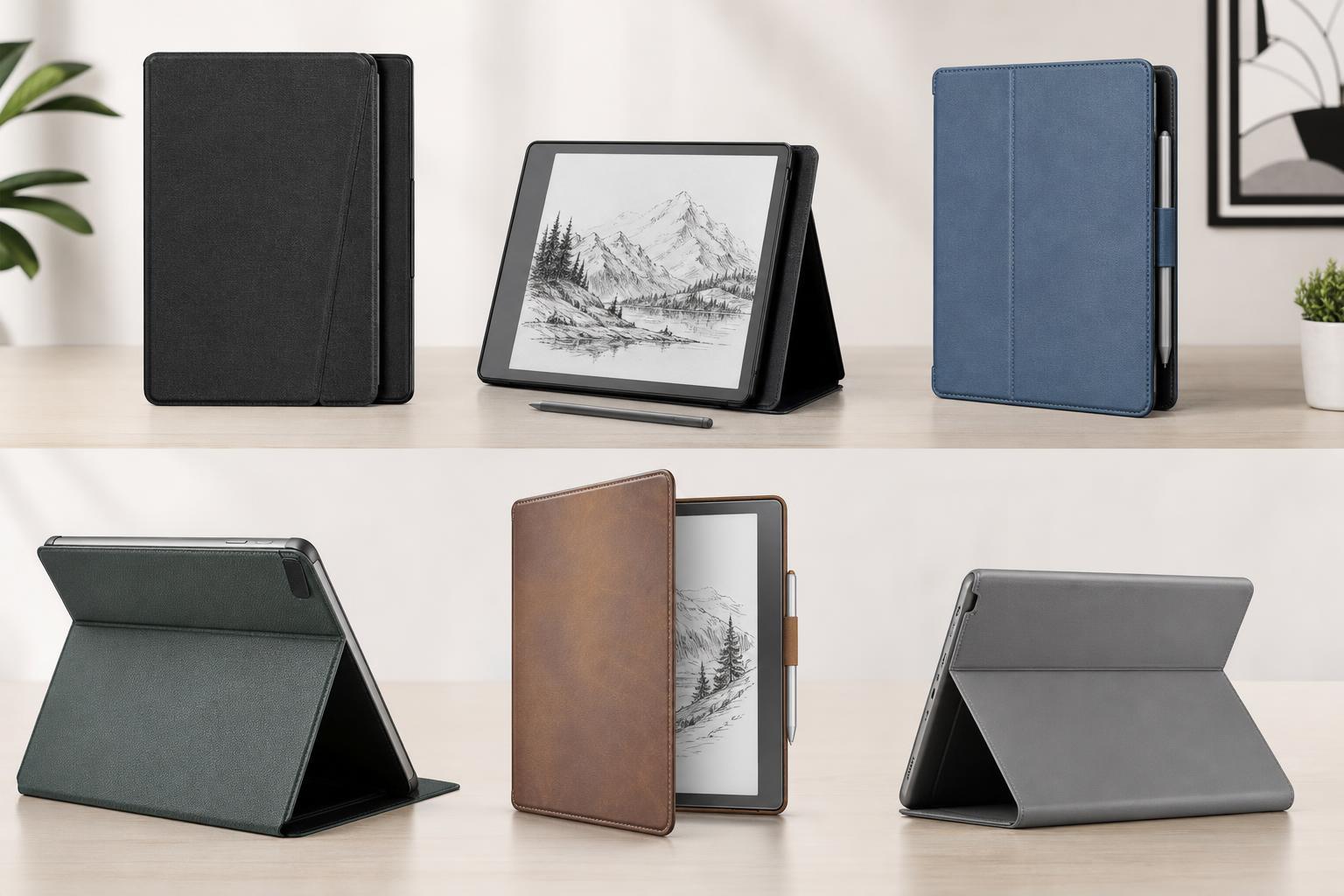
What to look for in a Kindle Scribe case
The Kindle Scribe is a 10.2-inch device, so not every Kindle case will fit it. Before buying, make sure the product is made specifically for the Scribe and not for a smaller Kindle model.
- Proper Kindle Scribe fit and cutouts for the power button and charging port
- Front cover protection if you carry the device in a bag
- Wake/sleep support if you want the cover to trigger the screen automatically
- Magnetic closure or secure flap so the case does not open accidentally
- Material and weight, especially if you read or write for long periods
- A built-in hand strap or stand if you often use the Scribe on a desk or in your lap
1. Amazon Kindle Scribe Fabric Cover
Amazon’s own fabric cover is a safe choice if you want a simple, well-fitted case without extra bulk. It is made for the device, so the fit should be predictable and the sleep/wake feature should work as intended.
This style is usually best if you mainly read at home or in a bag and want a case that feels more like a premium book cover than a rugged protective shell.
2. Amazon Kindle Scribe Leather Cover
A leather cover gives the Kindle Scribe a more refined look and can feel more substantial in the hand. If you use the Scribe for work notes or keep it on a desk, this can be a nice upgrade over basic fabric.
The main tradeoff is cost. Leather-style covers often look great, but they may add a bit more weight and can show wear depending on the finish.
3. Basic folio-style third-party cover
A simple folio case is often the best value option. It usually protects the front and back, folds into a reading stand, and includes an automatic sleep/wake function on many models.
This is a sensible choice if you want protection first and do not need extra features like a hand strap or rugged corners. Just check reviews carefully, since budget cases can vary a lot in fit and material quality.
4. Rugged Kindle Scribe case with corner protection
A rugged case is a better fit if your Kindle Scribe goes everywhere with you. These cases usually have reinforced corners, thicker materials, and a more protective shell around the device.
They are often bulkier than slim folio cases, but that extra size can be worth it if you are worried about bumps, drops, or heavy everyday use.
5. Slim magnetic cover
A slim magnetic cover is a good middle ground between protection and portability. It usually keeps the device easy to hold while still protecting the screen when closed.
This type works well if you mostly use the Kindle Scribe at home, in cafés, or while commuting, and you do not want a heavy case slowing you down.
6. Case with hand strap or stand
A hand strap can make the Kindle Scribe easier to hold for long reading sessions, while a built-in stand is useful if you sketch, annotate, or write at a desk. Some cases include both features, making them especially versatile.
These cases are practical if you use the Scribe more like a notebook than a traditional e-reader. They can also help reduce hand strain during long sessions.
How to choose the right Kindle Scribe case for your needs
- Choose a slim case if you mostly want light protection and easy portability.
- Choose an official Amazon cover if you want the best chance of a clean, reliable fit.
- Choose a rugged case if the device will travel frequently or live in a backpack.
- Choose a hand strap or stand case if comfort and note-taking matter most.
- Choose a fabric or leather finish based on whether you prefer lighter weight or a more premium look.
Buying mistakes to avoid
- Buying a case made for a different Kindle model
- Ignoring the added weight of a thicker protective case
- Choosing style over fit, especially around the corners and ports
- Forgetting to check whether the cover supports sleep/wake behavior
- Assuming every third-party case will work equally well with the Scribe pen
Which type of cover should most people buy?
For most buyers, a folio-style cover or the official Amazon fabric cover is the safest starting point. Those options usually offer a good balance of protection, usability, and comfort without making the Kindle Scribe feel oversized.
If you travel a lot, go with a rugged case. If you use the Scribe mainly for reading or desk note-taking, a slim magnetic cover or a stand case may be the better fit.





