
A good tablet car mount can make long drives easier for passengers, keep kids entertained in the back seat, and give you a more stable place to view maps or media on the road. The best option depends on where you want to mount the tablet, how often you move it between vehicles, and whether you need a simple holder or a more secure setup.
This guide breaks down six of the best types of tablet car mounts and holders, along with the features that matter most when choosing one for your car, SUV, or truck.
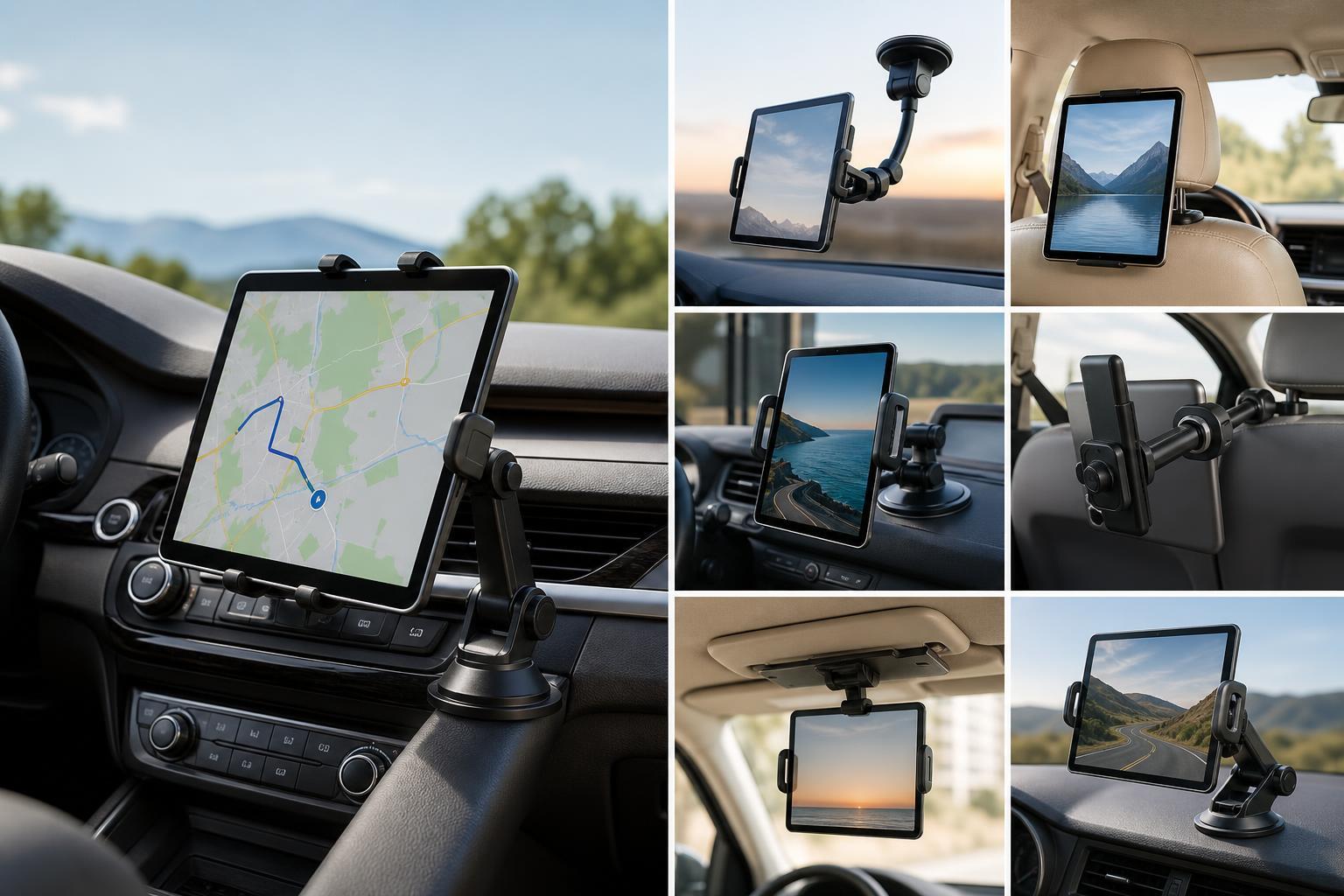
1. Headrest Tablet Mounts
Headrest mounts are one of the most popular choices for families because they keep the tablet in easy view of rear-seat passengers without taking up lap space. They usually attach to the front seat headrest posts and place the screen directly behind the front seat.
- Best for: back-seat passengers
- Usually easy to install and remove
- Often works with multiple tablet sizes
- Look for padded grips to avoid scratching the device
2. Dashboard and Windshield Tablet Holders
Dashboard and windshield holders are better suited to the front cabin, where the tablet may be used for navigation, music control, or fleet-style tasks. These mounts typically use a suction cup or adhesive base, and many offer adjustable arms for better positioning.
3. Car Cup Holder Tablet Mounts
Cup holder mounts are a smart option when you want a stable base without sticking anything to the windshield or dashboard. They fit into the cup holder and usually use an adjustable shaft to bring the tablet closer to the user.
- No adhesive or suction cup required
- Generally easy to reposition
- Can work well in rental cars or shared vehicles
- May sit lower than other mount types, which can improve comfort for some users
4. Seatback Tablet Holders with Storage
Seatback holders are similar to headrest mounts but often include pockets for chargers, cables, headphones, or small accessories. They are especially convenient for road trips because they keep both the tablet and its extras organized in one place.
- Useful for families with multiple devices
- Can reduce clutter in the back seat
- May include extra compartments for travel essentials
- Often better for organized use than a basic strap mount
5. Heavy-Duty Adjustable Tablet Cradles
Heavy-duty cradles are designed for larger tablets or situations where the mount needs to stay fixed and secure over time. They often use strong clamps, reinforced arms, and a more rigid frame than lightweight holders.
6. Adjustable Gooseneck and Arm Mounts
Gooseneck and adjustable arm mounts offer the most flexibility, letting you position the tablet farther forward, higher up, or at a better viewing angle. They can be very handy when the tablet needs to serve different roles in different cars.
- Highly adjustable viewing angles
- Good for one device used in multiple positions
- Can be helpful for passengers with different seating positions
- Choose a model with a firm joint to reduce sagging
What to Look for Before Buying
The best tablet car mount is not just the one with the strongest clamp. It should fit your vehicle, your tablet, and the way you actually use it.
- Check tablet size support and make sure your device fits with its case on if you plan to keep the case installed.
- Decide where the mount will go: headrest, dashboard, cup holder, seatback, or another location.
- Look for adjustable grips or rotating joints so you can set a comfortable viewing angle.
- Make sure the mount will not block airbags, controls, vents, or your view of the road.
- Choose a mount with enough grip strength for rough roads or heavier tablets.
- If you travel often, consider how easy the mount is to install, remove, and store.
Which Type Is Best for You?
The right tablet car mount depends on your goal. For rear-seat entertainment, headrest and seatback models are usually the most practical. For front-seat use, dashboard, windshield, or cup holder mounts tend to work better. If you want the most flexibility, a gooseneck or adjustable arm mount is often the most versatile choice.
If you want the safest and most comfortable setup, start with where the tablet will be used most often, then pick the mount style that keeps it secure without getting in the way.





