
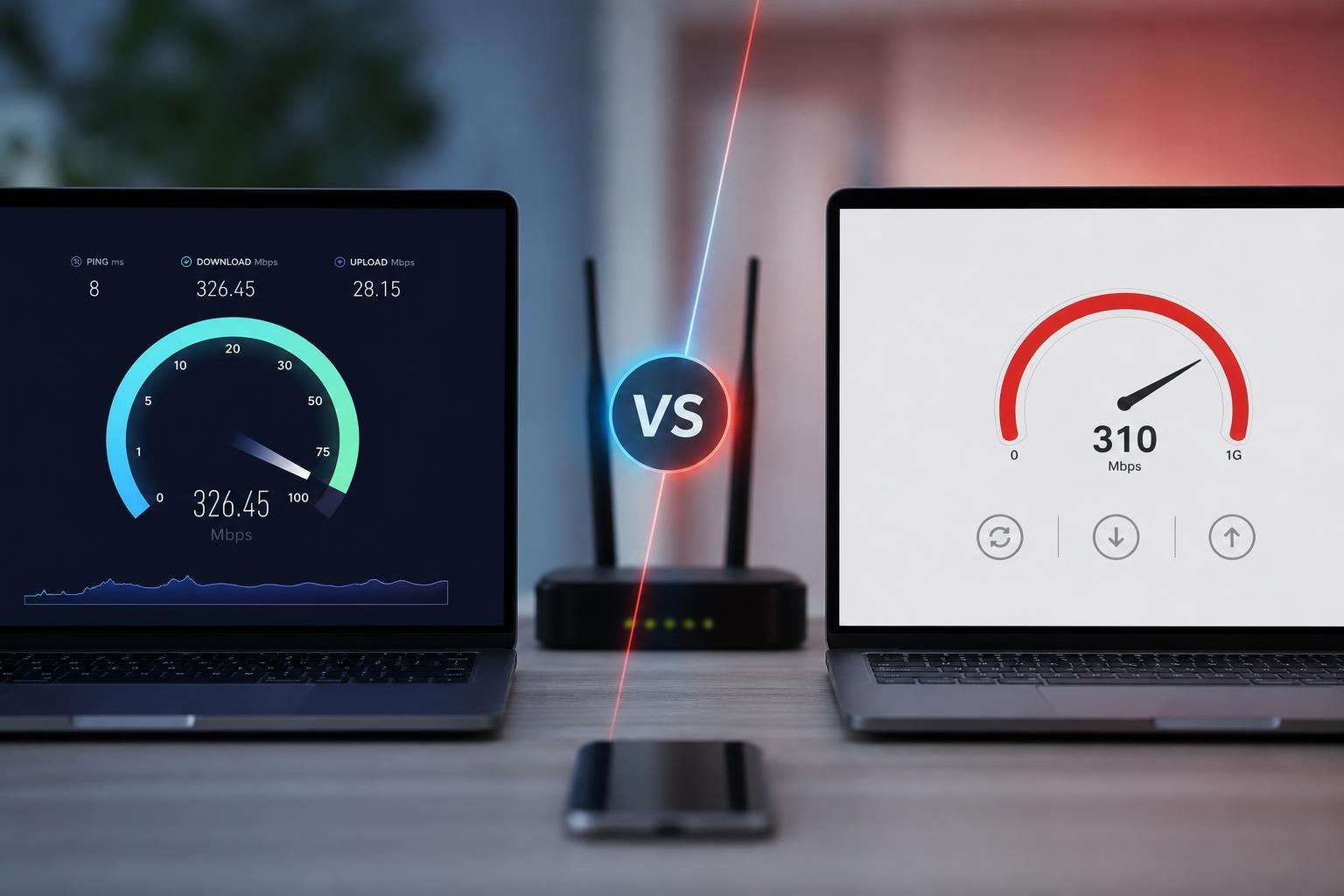
Speedtest by Ookla and Fast by Netflix are two of the most popular tools for checking internet speed, but they are not built exactly the same way. One focuses on a fuller snapshot of your connection, while the other is designed to be fast and simple.
If you are trying to decide which service to use, the right choice depends on what you want to measure: raw download speed, upload speed, latency, server choice, or a quick everyday check.
What Speedtest and Fast Are Designed to Measure
Both tools measure how quickly data moves between your device and the internet, but they present that information differently. Speedtest is built to give a broader view of connection quality, while Fast is intentionally minimal and usually shows download speed first.
That difference matters because an internet connection is more than just one number. A connection can have strong download speed but weak upload performance, or it can show low latency but still feel unstable in games and video calls.
How Speedtest Works
Speedtest by Ookla offers a more traditional measurement experience. It usually lets you pick or automatically select a nearby test server, then runs several checks to estimate download speed, upload speed, and latency.
- Download speed shows how fast data comes to your device.
- Upload speed shows how fast data leaves your device.
- Ping measures responsiveness, which matters for gaming and calls.
- Jitter shows how much latency fluctuates during the test.
Because it includes more metrics and server selection, Speedtest is often better when you want a fuller diagnosis of your internet connection or when you need numbers you can compare across different locations and devices.
How Fast Works
Fast is designed to be extremely simple. When you open it, the test starts almost immediately and gives you a clean readout of your download speed. That makes it useful for quick checks on a phone, laptop, or smart TV browser.
Fast is especially handy when you do not want a page full of extra controls or charts. It is also useful if you just want to know whether your connection is roughly keeping up with streaming or general browsing.
Accuracy and Consistency
Neither tool is automatically the single truth about your internet speed. Results can vary based on server location, network congestion, Wi-Fi interference, VPNs, browser load, and whether other devices are using the connection.
Speedtest often gives more context, which can help you understand why one result differs from another. Fast can still be accurate, but because it is streamlined, it may be less informative when the connection behaves inconsistently.
- Use the same device when comparing results.
- Test on the same network type, such as Wi-Fi or Ethernet.
- Close large downloads or streaming apps before testing.
- Run multiple tests instead of relying on one result.
- Avoid comparing results from different servers without noting the difference.
Speedtest vs Fast for Gaming
For gaming, the most important number is often latency rather than raw download speed. A large download speed can look impressive but still leave you with lag if ping is high or unstable.
Speedtest is usually the better tool for gamers because it clearly shows ping and jitter. Those values help explain whether the connection is responsive enough for online play.
Fast can still be useful as a quick check, especially if you just want to know whether your connection is roughly healthy. But it is not as helpful when you need to troubleshoot packet delay, stability, or upload-related issues like voice chat problems.
Speedtest vs Fast for Streaming and Video Calls
For streaming video, download speed usually matters most, so Fast is often enough for a quick check. If you just want to know whether your line can handle Netflix, YouTube, or similar services, Fast gives you that answer quickly.
For video calls, upload speed and latency become more important. That is where Speedtest has an advantage, because it can show whether your microphone and camera data are likely to travel smoothly to the other person.
- Streaming: Fast is often sufficient for a quick read.
- Video calls: Speedtest is more useful because upload speed matters.
- Cloud backups: Speedtest is better because upload speed is critical.
- Wi-Fi troubleshooting: Speedtest provides more diagnostic detail.
Which Service Is Better on Mobile?
On a phone, Fast is often the easier option because it loads quickly and has a simple layout. It is convenient when you are trying to judge whether mobile data or Wi-Fi is usable at a glance.
Speedtest is still the stronger choice when you want to compare different networks, check hotspot performance, or investigate why apps feel slow even though the connection seems fine.
When to Use Each One
- Use Fast when you want the quickest possible download speed check with almost no setup.
- Use Speedtest when you want a more complete view of connection quality.
- Use Speedtest if you need upload speed, ping, or jitter for troubleshooting.
- Use Fast if you are on a device or browser where simplicity matters most.
- Use both if you want to compare results and spot unusual differences.
Which One Should You Trust More?
For basic download-speed checking, both services can be useful. For deeper troubleshooting, Speedtest usually gives you more of the information needed to understand what is happening on the network.
That said, trust the tool that matches the question you are asking. If you only need a quick confirmation that your connection is working, Fast is perfectly practical. If you need to diagnose a problem or compare internet plans, Speedtest is the better fit.
The Bottom Line
Speedtest and Fast are both useful, but they solve slightly different problems. Fast is the better choice for speed and simplicity, while Speedtest is the better choice for detail and troubleshooting.
If you want one tool for everyday checks, Fast is easy to live with. If you want the more complete internet test, Speedtest is the stronger all-around option.





