If you want to get rid of old Facebook Messenger messages, the important thing to know is that deleting a chat on your device is not the same as deleting a message for everyone. Messenger gives you a few different ways to remove messages, but only one option can take a message back from both sides.
This guide explains the difference between deleting, archiving, and unsending messages, plus the exact steps to use if you want an old message removed from your conversation and, when possible, from the other person's chat as well.
What Messenger Means by “Delete” and “Unsend”
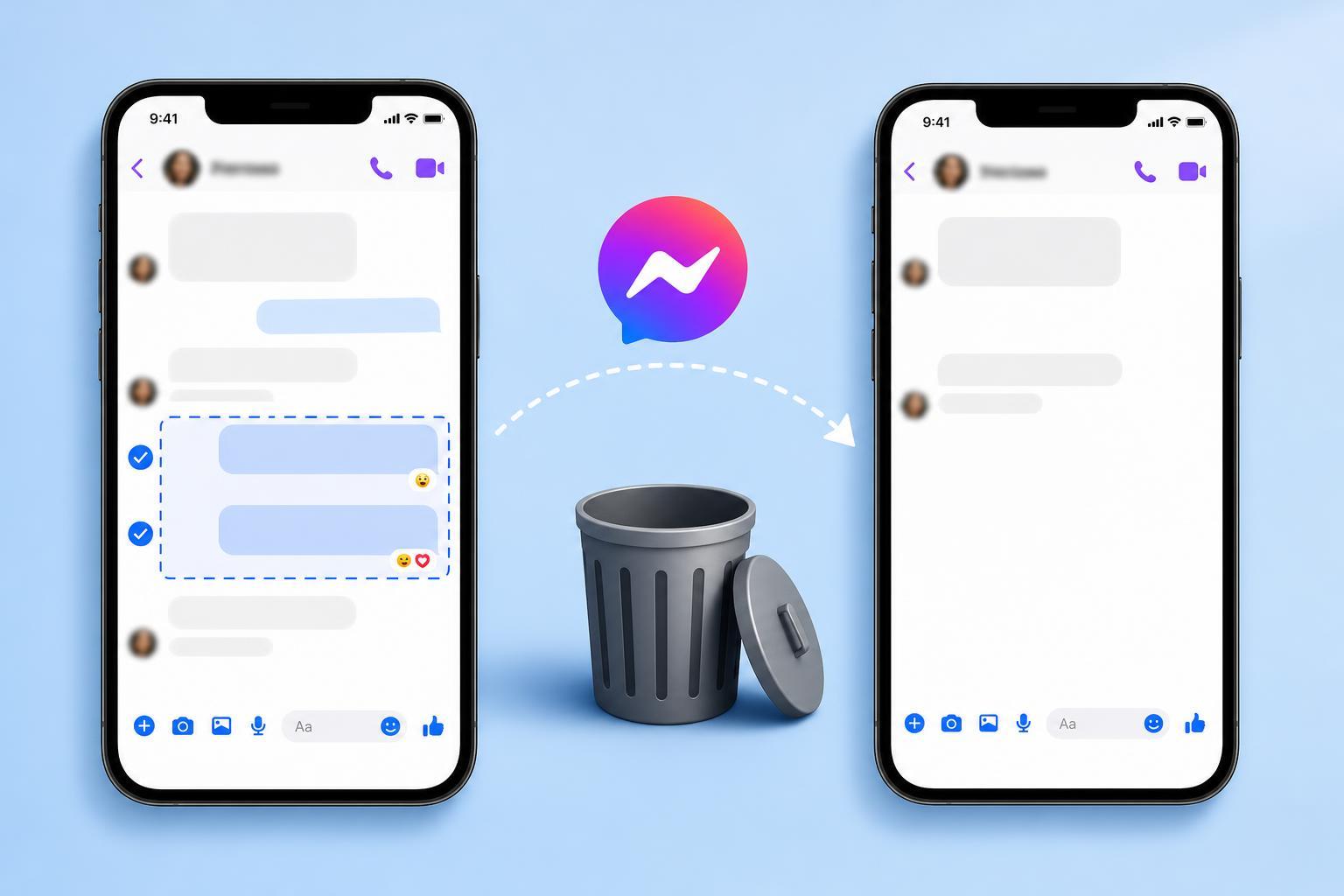
In Facebook Messenger, deleting a message usually removes it only from your own view. The other person can still see it unless you use the unsend option. Unsend is the feature you want when your goal is to remove a message from both sides of the conversation.
- Delete for you: removes the message or chat from your device only.
- Unsend for everyone: removes a sent message from the chat for all participants.
- Archive: hides the conversation without deleting it.
- Group chats: unsending removes the message from the thread, but other members may still have seen it already.
How to Delete a Message From Both Sides
If the message was sent by you, you may be able to unsend it. This is the closest thing Messenger has to deleting a message from both sides.
- Open Facebook Messenger and go to the conversation.
- Press and hold the message you want to remove.
- Tap Remove or More, depending on your device.
- Choose Unsend for everyone.
- Confirm the action when prompted.
After you unsend it, the message should disappear from the chat for everyone in the conversation. In many cases, Messenger may briefly show that a message was removed or unsent.
If You Only See “Delete for You”
Sometimes the option to unsend is unavailable or limited. That can happen if the message was not sent by you, if you are trying to remove an entire chat instead of a single message, or if the app version you are using shows different menu wording.
- Messages sent by someone else cannot be deleted from their account by you.
- A whole conversation can be removed from your inbox, but that does not delete it from the other person’s inbox.
- Some older messages may still be unsendable, but the interface can vary by app version and device.
- If the message is already part of a copied, forwarded, or screenshot record, unsending does not remove those copies.
How to Remove an Entire Conversation From Your Side
If your goal is simply to clean up your Messenger inbox, you can delete the conversation from your side. This does not affect the other person’s copy, but it does remove the thread from your device.
- Open Messenger.
- Find the conversation you want to remove.
- Press and hold the chat on mobile, or open the options menu on desktop.
- Choose Delete or Remove chat.
- Confirm the deletion.
This is useful for clearing out old chats you do not need anymore, but it is not the same as unsending a message.
What to Do If the Message Is Too Old
If a message is very old, you should still check whether the Unsend option appears. Messenger does not present all accounts the same way, and the app may still allow you to remove the message from the thread.
- Look for the three-dot menu next to the message.
- Update Messenger if the option is missing.
- Try the desktop site if the mobile app does not show the same controls.
- Check whether you are trying to delete a message you sent or one you received.
Limitations You Should Know About
Even when you unsend a message, that does not guarantee complete removal in every possible sense. The other person may have already read it, taken a screenshot, or copied the text before you removed it.
- Unsend removes the message from the chat, but it cannot erase screenshots.
- Read notifications may already have revealed the message content.
- If the message was shared into another thread, that copy is separate.
- Messenger cannot remove messages from someone else’s device after they have already saved or backed them up elsewhere.
Which Option Should You Use?
Choose the method based on what you want to accomplish:
- Use Unsend for everyone if you want to remove a message you sent from the conversation.
- Use Delete for you if you only want it gone from your own device.
- Use Archive if you want to hide an old chat without deleting anything.
- Use Delete chat if you want to clear your inbox, but understand it only affects your account.
When You Cannot Delete It From Both Sides
If you did not send the message, or if the unsend option is unavailable, you cannot remove it from the other person’s account through Messenger. In that case, your only options are to delete the conversation from your side or ask the other person to remove it themselves.
For most users, the key distinction is simple: deleting clears your inbox, while unsending removes the message from the actual conversation. If both sides matter, always look for Unsend for everyone first.