
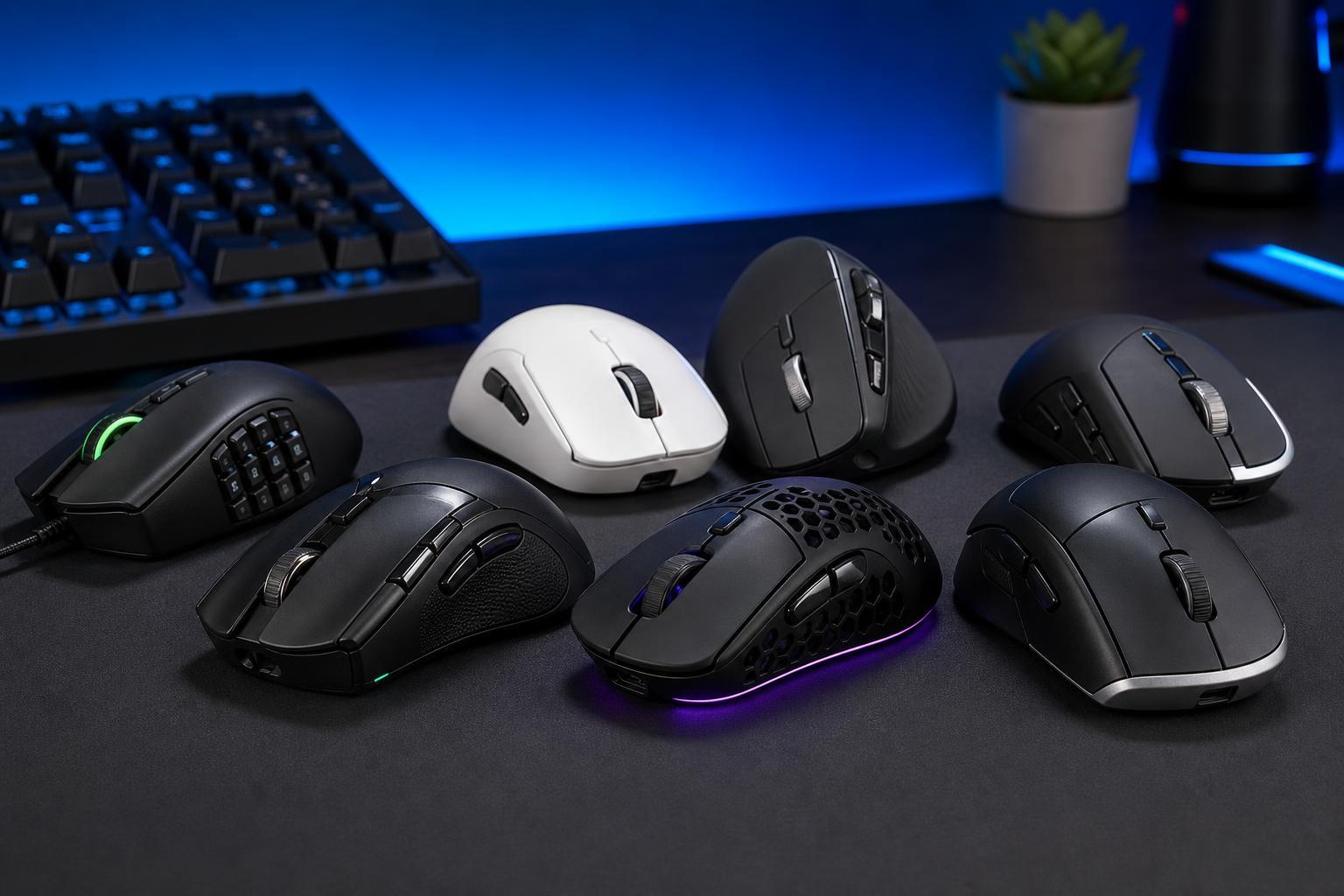
A mouse with programmable buttons can save time, reduce hand movement, and make common tasks easier. Whether you want extra controls for gaming, editing, browsing, or multitasking, the right mouse can give you shortcuts exactly where your fingers already rest.
This guide highlights seven strong options across wired and wireless designs, with a focus on practical button layouts, comfort, and the kinds of users each mouse suits best.
What to Look for in a Mouse With Programmable Buttons
Not every mouse with extra buttons is equally useful. The best choice depends on how many buttons you actually need, whether you prefer a lightweight gaming shape or an ergonomic office design, and how important wireless freedom is in your setup.
- Button count and placement: extra buttons should be easy to reach without accidental clicks.
- Software support: good companion software makes it easier to assign macros, shortcuts, and profiles.
- Shape and grip style: palm, claw, and fingertip users often prefer different shapes.
- Connection type: wired mice avoid charging, while wireless mice reduce cable drag and desk clutter.
- Sensor quality: especially important for gaming, editing, and precise cursor work.
- Weight: lighter mice often suit fast gaming, while heavier ergonomic mice can feel more stable for long work sessions.
1. Logitech G502 X Plus
The Logitech G502 X Plus is one of the most well-known all-around programmable-button mice. It combines a familiar right-handed shape with a strong button layout, making it useful for games, productivity shortcuts, and general desktop control.
It is a good pick if you want a wireless mouse that still feels highly responsive and offers plenty of customization without becoming overly complicated.
- Multiple programmable buttons in easy-reach positions
- Wireless freedom with a premium feel
- Useful for both gaming and desktop shortcuts
- A shape that many right-handed users find comfortable for long sessions
2. Razer Naga V2 Pro
The Razer Naga V2 Pro is built around flexibility. Its standout feature is the swappable side plate system, which lets you change the number and arrangement of side buttons depending on the game or task.
That makes it especially attractive for players who need many programmable inputs, but it can also help editors, streamers, and productivity users who rely on macros.
- Swappable side button panels
- Great for MMO and macro-heavy use
- Wireless and highly configurable
- Strong software for assigning functions and profiles
3. Logitech G604 Lightspeed
The Logitech G604 Lightspeed is a practical choice for people who want more controls without moving into a bulky MMO-style mouse. Its extra buttons are well suited to browser navigation, office shortcuts, and multitasking.
It is especially appealing if you want a mouse that works just as well for work as it does for casual gaming.
- Many programmable buttons without an overly aggressive gaming shape
- Wireless design focused on convenience
- Useful for productivity, navigation, and macros
- Good option for users who want an all-day desktop mouse
4. Corsair Scimitar RGB Elite
The Corsair Scimitar RGB Elite is designed for people who need lots of commands under their thumb. Its side keypad-style layout makes it easy to assign multiple abilities, hotkeys, or application commands.
This mouse is especially useful when the same set of actions needs to be repeated often and quickly.
- High button count for complex macros
- Side-button layout designed for fast thumb access
- Strong fit for MMO and simulation games
- Useful for software workflows that rely on repeated shortcuts
5. SteelSeries Aerox 9 Wireless
The SteelSeries Aerox 9 Wireless offers a more modern lightweight approach than many traditional button-heavy mice. It is designed for people who want plenty of controls without the bulky feel that some multi-button models have.
Its balance of wireless convenience, reduced weight, and extra inputs makes it appealing to players who move the mouse quickly but still want advanced control.
- Lightweight wireless design
- Many programmable buttons for gaming shortcuts
- Good compromise between speed and control
- Comfortable for users who dislike heavy mice
6. Keychron M7
The Keychron M7 is a strong pick if you want a cleaner, more work-friendly mouse that still gives you useful extra buttons. It is a good fit for users who value comfort and a straightforward layout more than extreme button counts.
This kind of mouse is useful for common tasks like browser navigation, app switching, and shortcut-based productivity workflows.
- Comfort-focused design
- Useful programmable controls for everyday tasks
- Suitable for office and home use
- A simpler option than many gaming-focused alternatives
7. Razer Basilisk V3
The Razer Basilisk V3 is a wired option that remains popular because it offers a comfortable shape, flexible software, and a useful set of programmable controls. The wired connection also means you never need to think about charging.
For many users, that makes it an easy choice: reliable, responsive, and ready to use whenever you sit down at the PC.
- Wired connection for consistent response and no battery concerns
- Comfortable shape for right-handed users
- Good selection of programmable buttons
- Practical for both gaming and everyday shortcut use
Wired vs Wireless: Which Is Better?
Neither connection type is automatically better. Wired mice are often simpler: plug them in and use them without worrying about battery life. Wireless mice give you a cleaner desk and more freedom of movement.
- Choose wired if you want zero charging, lower hassle, and a stable connection.
- Choose wireless if you care about desk cleanliness, cable-free movement, or travel-friendly convenience.
- Choose either if the button layout and comfort are a better fit than the connection type.
How to Pick the Right One for You
- Decide how many buttons you actually need. A few extra buttons may be enough for browsing and office work, while MMO gaming may justify a much higher button count.
- Choose a shape that matches your grip. A mouse that feels awkward after 20 minutes will not be a good choice no matter how many features it has.
- Check the software. Good customization software makes macros, profiles, and per-app settings much easier to manage.
- Think about battery life if you want wireless. Some wireless mice are made for long endurance, while others expect more frequent charging.
- Look at your desk use. If you travel often or work away from your main setup, wireless can be more convenient. If you want to avoid charging entirely, wired is simpler.
The Best Choice Depends on How You Use Your PC
The best mouse with programmable buttons is the one that matches your habits. MMO players often need more buttons, productivity users usually benefit from a smaller number of well-placed shortcuts, and many people simply want a comfortable mouse that reduces repetitive actions.
If you want the most flexible all-round option, look for a mouse with reliable software, a comfortable shape, and enough buttons to support your actual workflow rather than the largest number available.





