
M.2 NVMe SSDs can get very hot during gaming, file transfers, video editing, and other heavy workloads. When temperatures climb too high, many drives reduce performance to protect themselves, which can lead to slower transfers and inconsistent speeds.
A good M.2 heatsink helps move heat away from the SSD so it can maintain better performance for longer. The right choice depends on your motherboard clearance, SSD size, case airflow, and whether you need a slim low-profile design or a larger cooler for sustained workloads.
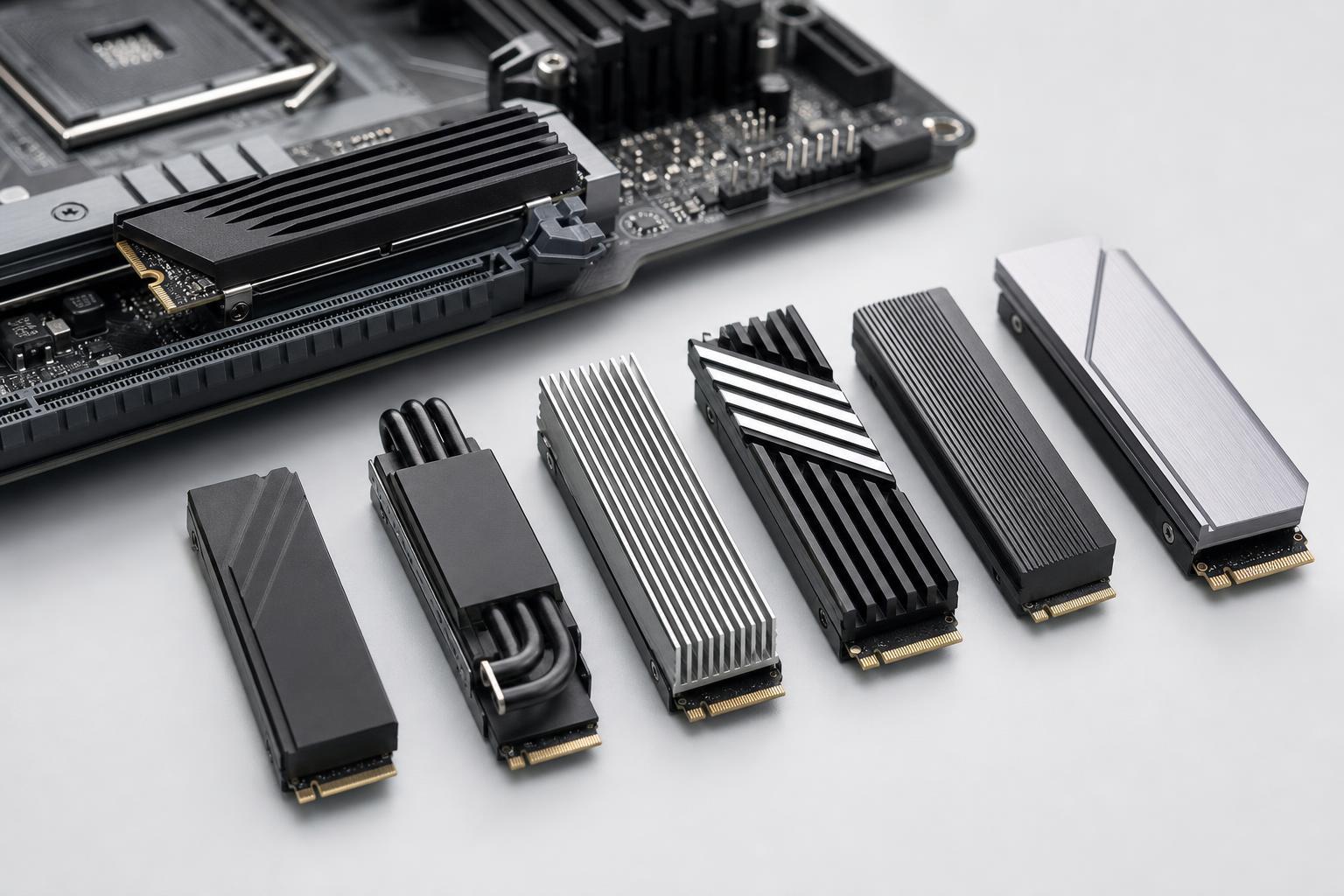
Best M.2 SSD Heatsinks to Consider in 2024
The Thermalright HR-09 2280 Pro is a strong option for users who want a more substantial heatsink than the tiny stock covers that come with some motherboards. Its larger fin structure gives it more surface area for heat dissipation, which is helpful for high-speed drives used in gaming libraries, content creation, and large file transfers.
The be quiet! MC1 is a low-profile option designed to fit in more tight motherboard layouts than bulky tower-style coolers. It is a practical choice for mini-ITX systems, console-style cases, and builds where a large heatsink might interfere with a GPU or side panel.
Sabrent’s heatsink is popular because it focuses on simple installation without requiring special tools or complicated mounting. It is a straightforward option for most standard M.2 2280 drives and works well in desktop builds where you want extra cooling without making major changes to the system layout.
EKWB is known for high-end cooling products, and the EK-M.2 NVMe Heatsink is aimed at users who want something more refined than a basic clip-on plate. It suits enthusiast builds where appearance, fit, and thermal consistency all matter, especially if the SSD is mounted in a warm area of the motherboard.
GLOTRENDS offers a budget-friendly heatsink that can be a useful upgrade for users who notice SSD temperatures rising but do not want to pay for a premium brand. It is a sensible pick for everyday desktop use, home labs, and secondary drives that still see regular workload spikes.
The Icepc kit is appealing because it often includes more than just the heatsink itself, which can be useful if you are cooling multiple drives or working with different motherboard layouts. That makes it a flexible choice for builders who want one package that covers several installation needs.
What to Look for in an M.2 SSD Heatsink
- Compatibility with the SSD size, usually 2280 for most desktop NVMe drives
- Clearance around the M.2 slot, including GPU, chipset heatsinks, and case panels
- Thermal pad quality and thickness, since this affects contact with the drive
- Heatsink height, especially for compact builds and laptops
- Whether your motherboard already includes an M.2 cover or built-in cooler
- Ease of installation if you plan to remove the drive later for upgrades or troubleshooting
When an M.2 Heatsink Is Worth It
Not every SSD absolutely needs an aftermarket heatsink, but it becomes more useful when the drive is under sustained load. That includes large game installs, repeated file copies, video editing scratch disks, virtual machines, and fast PCIe 4.0 or PCIe 5.0 drives that run hotter than older models.
If your SSD is mainly used for light desktop tasks, a motherboard’s built-in M.2 shield may already be enough. But if you have noticed warm drive temperatures, performance drops during long transfers, or an SSD placed in a cramped area with little airflow, a heatsink is a practical upgrade.
Installation Tips That Help Cooling Performance
- Power down the PC and unplug it before touching the SSD or motherboard.
- Remove the M.2 drive carefully and clean off any old thermal pad residue if needed.
- Place the thermal pad so it makes full contact with the SSD controller area and the drive surface.
- Install the heatsink without overtightening it, since too much pressure can make mounting uneven.
- Check that the heatsink does not interfere with the GPU, side panel, or other motherboard components.
- After installation, monitor SSD temperatures during a normal workload to confirm the cooler is making a real difference.
Choosing the Right Heatsink for Your Build
The best M.2 SSD heatsink is the one that fits your system cleanly and keeps the drive cool under the kind of work you actually do. For most users, a low-profile but properly mounted heatsink is better than a large cooler that barely fits or blocks nearby hardware.
- Choose a slim model for mini-ITX or tight case layouts
- Choose a larger finned heatsink for heavy workstation or gaming loads
- Choose a premium model if finish, fit, and consistency matter most
- Choose a budget model for secondary drives or lower-intensity use
- Choose a kit if you want flexibility across different builds or M.2 slots
Which One Should You Buy?
If you want the safest all-around pick, go with a heatsink that fits your motherboard comfortably and gives the SSD enough airflow to breathe. In most desktop builds, that matters more than chasing the biggest cooler available. The right M.2 heatsink should solve a temperature problem without creating a space problem.





