A good wireless controller can make iPad gaming feel much closer to playing on a console. It can also make long sessions more comfortable, improve precision in action games, and give you better control in racing, platforming, and cloud gaming apps.
The best option depends on how you plan to play. Some controllers are ideal for Apple Arcade, some are better for remote play and cloud gaming, and others offer the widest device support if you want one controller for your iPad, iPhone, and other systems.
What to Look for in an iPad Game Controller
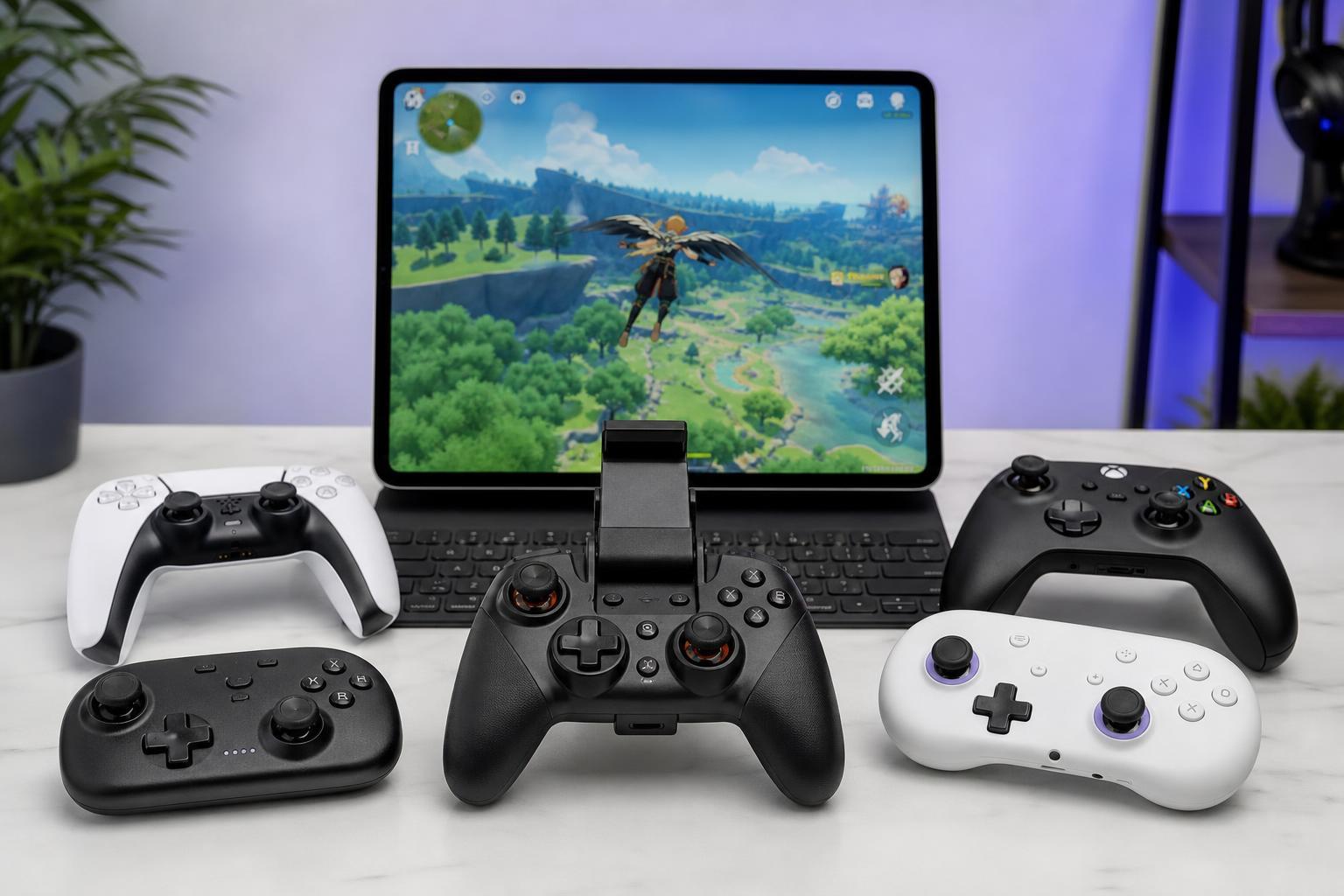
Before choosing a controller, check a few practical details. Not every wireless controller is equally suited to iPad gaming, even if it pairs successfully over Bluetooth.
- iPad compatibility: Look for controllers that support iPadOS and work properly with Apple devices.
- Connection type: Bluetooth is the most common option for iPad controllers.
- Comfort: Shape, grip texture, stick placement, and trigger feel matter a lot during longer sessions.
- Button layout: Some players prefer Xbox-style layouts, while others want a PlayStation-style controller or a mobile-focused design.
- Charging method: USB-C is convenient, but some controllers use replaceable batteries or older charging ports.
- Extras: Adjustable phone clips, remappable buttons, hall-effect sticks, and low-latency modes can be useful depending on how you play.
1. Xbox Wireless Controller
The Xbox Wireless Controller is one of the safest choices for iPad gaming because it has broad support, a comfortable shape, and a layout that many players already know. It is a strong pick for action games, racing games, and cloud gaming apps where responsive sticks and triggers matter.
Its biggest advantage is versatility. If you also play on a Windows PC or Xbox console, the same controller can move between devices without much friction. That makes it especially practical if you want one controller for multiple platforms.
- Comfortable, familiar design
- Reliable Bluetooth pairing with iPad
- Strong support across many games and services
- Good choice for players who switch between devices
2. PlayStation DualSense Wireless Controller
Sony’s DualSense is another excellent wireless controller for iPad, especially if you already use PlayStation hardware. It feels refined in the hands, with responsive sticks, good ergonomics, and a button layout that works well for many action and adventure games.
It is also a great option if you use remote play from a PlayStation console. For players in that ecosystem, the DualSense is often the most natural fit.
- Premium build and comfortable grip
- Works well for Apple Arcade and many supported games
- Excellent if you already use PlayStation devices
- USB-C charging
3. Backbone One
The Backbone One is more of a mobile gaming controller than a traditional living-room pad, but it deserves mention because it delivers a very direct, responsive experience. It is especially useful for cloud gaming, remote play, and games that feel better with physical controls right attached to the device setup.
For iPad users who want a streamlined handheld-like feel, it can be a very compelling option. The controls are typically easy to access, and the overall design focuses on making mobile gaming feel more immediate and less awkward than touch controls.
- Designed for mobile-first gaming
- Very responsive controls
- Good for cloud gaming and remote play
- Compact setup with minimal extra bulk
4. 8BitDo Ultimate Bluetooth Controller
8BitDo controllers are popular because they often give you more customization than standard gamepads. The Ultimate Bluetooth Controller is a strong iPad choice if you care about remapping buttons, tuning stick behavior, or using a controller that can do more than the basics.
It is a good fit for players who like tweaking their setup, especially if they also use a Nintendo Switch, PC, or other Bluetooth-enabled devices. The feel is usually comfortable and practical for both casual and longer play sessions.
- Customizable button mapping and profiles
- Good cross-device flexibility
- Comfortable for long play sessions
- Strong choice for players who like settings and fine-tuning
5. GameSir T4 Kaleid or Similar Hall-Effect Bluetooth Controller
GameSir controllers are worth considering if you want a modern-feeling controller without paying the highest price in the category. Models like the T4 Kaleid often appeal to players who want hall-effect sticks, RGB styling, and useful extras in a wireless package.
These controllers can be a good match for iPad gaming if you want a balance of features and value. They are especially attractive if you spend a lot of time in action games, emulation, or cloud gaming and want a controller that feels more advanced than a basic budget pad.
- Often strong value for the features offered
- Hall-effect stick options on some models
- Bluetooth support for iPad use
- Good choice for feature-focused buyers on a budget
Which Controller Is Best for Most iPad Players?
If you want the safest all-around pick, the Xbox Wireless Controller is usually the easiest recommendation because it works well, feels familiar, and fits many different game types. If you already use PlayStation hardware, the DualSense may feel better in your hands and be the more natural choice.
If you want something more specialized, choose Backbone One for a mobile-first setup, 8BitDo for customization, or a GameSir model if you want strong value and modern controller features.
Quick Buying Guide
- Choose Xbox if you want broad compatibility and a familiar feel.
- Choose DualSense if comfort and a premium grip matter most.
- Choose Backbone One if you want a compact, mobile-style gaming setup.
- Choose 8BitDo if customization and cross-platform use are important.
- Choose GameSir if you want a feature-rich controller at a lower price point.
How to Make Sure Your Controller Works Well on iPad
- Confirm that the controller supports Bluetooth pairing with iPadOS.
- Check whether your favorite games support external controllers.
- Update the controller firmware if the manufacturer provides an app or update tool.
- Test the controller in a game you actually play, since some menus and apps handle controllers differently.
- If a controller feels off, check in-game settings for sensitivity, button mapping, or controller calibration options.
A Good Controller Makes iPad Gaming Much Better
For iPad gaming, the best wireless controller is the one that matches your games, your comfort preferences, and the other devices you use. A well-chosen controller can make the iPad feel like a much more capable gaming device, especially for titles that reward accuracy and quick input.