WhatsApp stickers are a quick way to make chats more expressive than plain text and often easier to use than emojis. But if you have only used the built-in sticker picker a little, there are several useful things worth knowing about how stickers work, how to add them, and what limitations to expect.
This guide covers the most important things about WhatsApp stickers, including how to send them, create your own, manage sticker packs, and avoid common confusion around downloads, privacy, and compatibility.
1. WhatsApp Stickers Are More Than Bigger Emojis
Stickers are separate from emojis and GIFs. They are image-based reactions or illustrations that can communicate tone, humor, and emotion more clearly than a single emoji often can.
Because they are sent as individual items in a chat, stickers can feel more personal and expressive. They are especially useful in group chats, where a well-timed sticker can say a lot without needing a long message.
2. You Can Send Stickers From the Sticker Tray
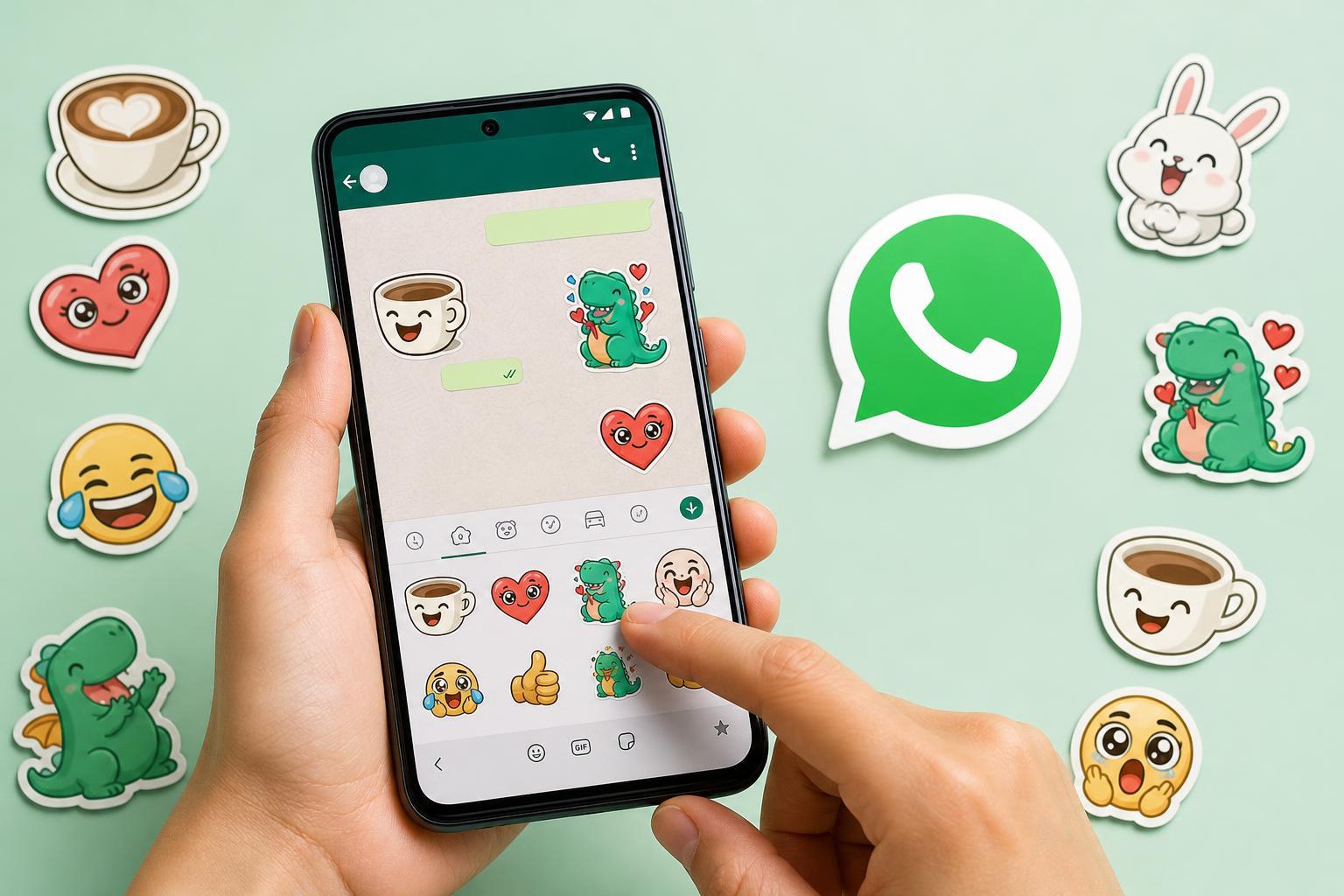
In WhatsApp, stickers are usually accessed from the same area as emojis and GIFs. Open a chat, tap the sticker icon, and browse the sticker tray to find the one you want.
- Open the conversation where you want to send a sticker.
- Tap the sticker icon near the message box.
- Browse the available sticker packs or recent stickers.
- Tap a sticker to send it immediately.
3. You Can Save Favorite Stickers for Faster Use
If you keep using the same stickers, WhatsApp makes it easy to reuse them. When you receive a sticker you like, you can usually add it to your favorites or quickly access it again from the recent area.
This is helpful if you tend to use the same reactions repeatedly, such as a thumbs-up-style sticker, a laughing sticker, or a custom one from a friend.
4. You Can Add More Sticker Packs
WhatsApp includes built-in sticker packs, but you are not limited to those. You can download additional packs from within the app to expand your options.
- Use the built-in sticker store or add-on pack list in WhatsApp.
- Look for packs that match the style you want, such as funny, seasonal, or expressive stickers.
- Install only packs from sources you trust if a pack is offered outside the official WhatsApp flow.
5. You Can Create Your Own WhatsApp Stickers
One of the most useful features is the ability to turn your own images into stickers. This lets you make custom reactions, use photos of pets, create branded stickers, or make inside jokes for friends and family.
Depending on your device and WhatsApp version, you may be able to create stickers directly inside WhatsApp or through a sticker-making app. The app usually removes the background or lets you refine the image before saving it as a sticker.
6. Sticker Quality Matters More Than You Might Think
Not every image makes a good sticker. Images that are too small, blurry, or crowded can look messy once cropped into sticker format.
- Use clear, high-contrast images.
- Choose subjects with simple edges when possible.
- Avoid tiny text, since it may become hard to read.
- Pick photos with a clean background if you want a neat cutout look.
7. Stickers Can Be Used Across Different Chats and Groups
Once a sticker is saved or added to your sticker list, you can use it in any conversation. That makes stickers useful for repeating the same reaction across private chats, family chats, and group conversations.
However, some sticker packs may feel more appropriate in one context than another. A joke sticker that works well with friends may not suit a work-related chat.
8. WhatsApp Stickers May Not Work the Same on Every Device
The sticker experience can vary depending on whether you use Android, iPhone, or WhatsApp Web. Some features appear first on mobile, while others may take longer to show up on desktop or browser versions.
- Sticker creation options may differ by platform.
- Some packs appear in one version of WhatsApp before another.
- The layout of the sticker picker can vary slightly.
- Sharing stickers from desktop may feel less flexible than on mobile.
9. Sticker Packs Take Up Storage Space
Downloaded sticker packs are small compared with video files, but they still use storage. If you install many packs and rarely use them, the clutter can build up over time.
Most people do not need to worry about a few packs, but if your phone storage is tight, it is worth removing sticker packs you never use.
10. Stickers Can Make Chats More Personal, But They Can Also Be Misused
Stickers are fun, but tone still matters. A sticker can be friendly, playful, sarcastic, or even annoying depending on the situation.
In some chats, too many stickers can make messages harder to follow. In others, they are a perfect fit. The best use is usually the one that adds personality without interrupting the conversation.
How to Get the Most Out of WhatsApp Stickers
If you want the best experience, focus on a small set of sticker packs you actually use, create a few custom stickers that fit your style, and keep your app updated so new sticker features appear when they are available.
- Use favorites for quick access to your most-used stickers.
- Create custom stickers for friends, pets, hobbies, or inside jokes.
- Keep sticker packs organized by removing ones you never use.
- Check for app updates if sticker tools seem limited.
What to Remember Before Using WhatsApp Stickers Regularly
WhatsApp stickers are simple to use, but they work best when you treat them as a real communication tool rather than just decoration. They can speed up conversations, add humor, and make chats feel more personal, as long as you use them thoughtfully.
Once you know how to find, save, create, and manage stickers, they become one of the easiest ways to make WhatsApp conversations more expressive and more fun.