If you use email on an iPhone, Apple Mail and Microsoft Outlook are usually the two apps most people compare first. Both can handle the basics well, but they feel very different in daily use. The better choice depends on how you check mail, which accounts you use, and whether you want a simple built-in app or a more feature-rich inbox.
This comparison breaks down the real differences between Outlook and Apple Mail on iOS so you can decide which one fits your workflow better.
Quick Take: The Main Difference
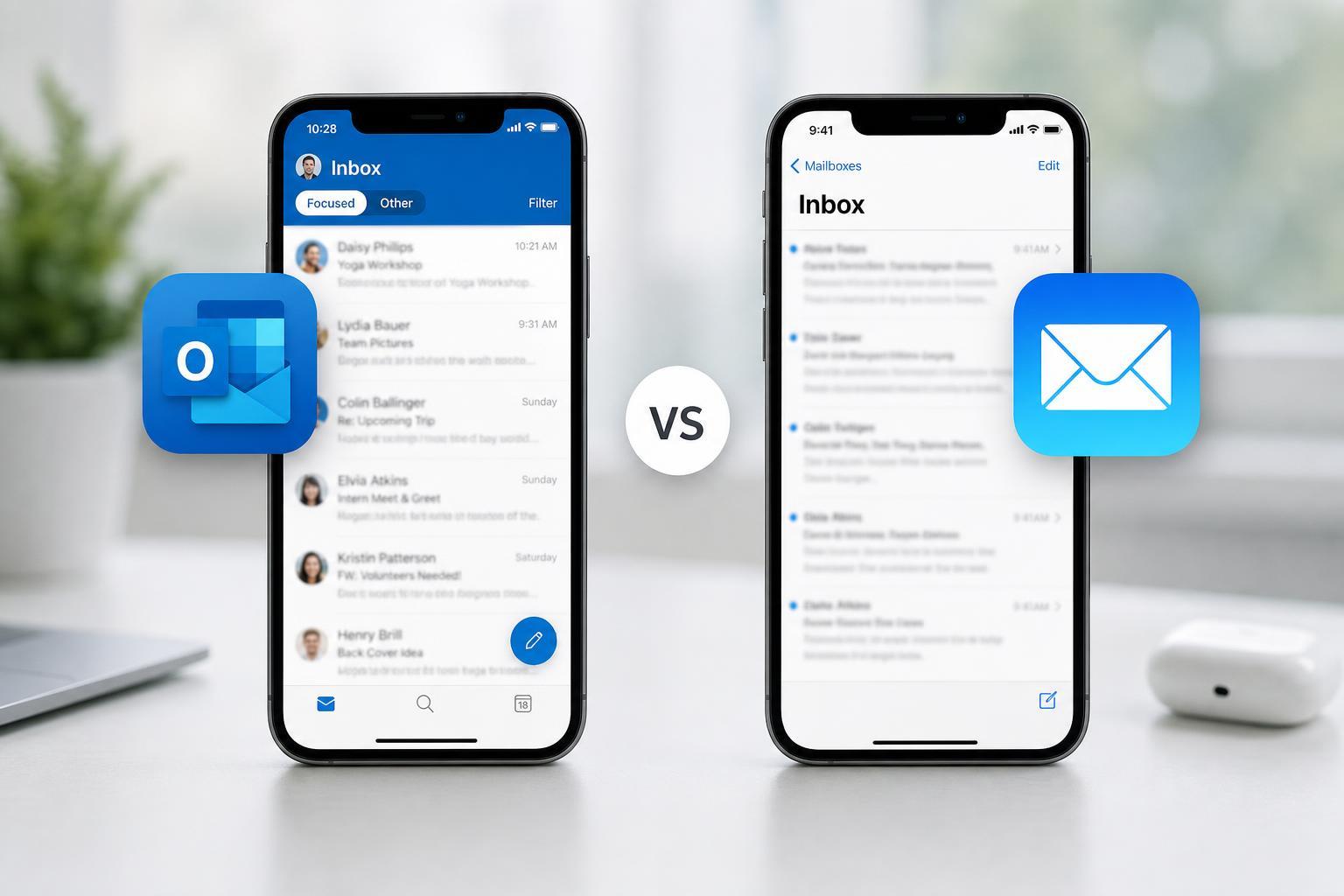
Apple Mail is the default iPhone email app and is best if you want something simple, lightweight, and tightly integrated with iOS. Outlook is stronger if you manage multiple email accounts, rely on Microsoft services, or want more productivity features built into your inbox.
Apple Mail: Best for Simplicity and Native iPhone Integration
Apple Mail is usually the easiest place to start because it is already built into iPhone. It keeps the interface familiar and clean, and it works naturally with iOS features like notifications, widgets, Siri, and system-wide sharing options.
One of Apple Mail’s biggest strengths is that it stays out of the way. If you mostly read and send messages without needing advanced inbox management tools, it is often the most comfortable choice. It also handles multiple accounts well enough for everyday use, especially if you do not need a separate productivity layer on top of email.
Outlook: Best for Power Users and Microsoft 365 Workflows
Outlook is more than just an email app. On iPhone, it combines email, calendar, and account management in one place, which makes it especially attractive for users who live in Microsoft 365 or Exchange environments.
Outlook is often better when you deal with a high volume of email. Features like focused inbox-style sorting, quick swipe actions, calendar access, and tighter Microsoft ecosystem support can make it feel more efficient than Apple Mail for busy users.
Feature Comparison
- Interface: Apple Mail is simpler and more minimal, while Outlook adds more features and controls.
- Multiple accounts: Both support multiple inboxes, but Outlook is often easier to manage when you have several work and personal accounts.
- Calendar integration: Outlook has a stronger built-in calendar experience.
- Search: Outlook is usually better for users who need more powerful inbox search and filtering tools.
- Notifications: Apple Mail feels more system-native, while Outlook gives more account-level control.
- Productivity tools: Outlook includes more built-in features for scheduling and organizing mail.
Which App Is Easier to Use?
Apple Mail is usually easier for casual users because it follows the iPhone’s standard design language and does not ask you to learn much. If you just want to open the Mail app, check messages, and move on, it is very straightforward.
Outlook has a steeper learning curve because it offers more options and tries to do more than plain email. That is not necessarily a disadvantage, but it does mean the app can feel busier at first.
Account Support and Compatibility
Both apps support major email providers, but the experience can differ depending on the account type. Apple Mail works well with iCloud and common consumer email services. Outlook is often the better fit for Microsoft accounts and business mail hosted on Exchange or Microsoft 365.
- Use Apple Mail if you mainly rely on iCloud and want native iPhone behavior.
- Use Outlook if you use Outlook.com, Exchange, or Microsoft 365 for work.
- Use either app for Gmail or other IMAP accounts, depending on which interface you prefer.
Privacy and Tracking Considerations
If privacy is important to you, it is worth understanding that email apps can differ in how they handle data, previews, and cloud-based features. Apple tends to emphasize privacy controls at the system level, while Outlook focuses more on Microsoft account features and cloud-connected convenience.
For most people, the practical privacy choice comes down to which ecosystem they trust and which app they need to use to access their accounts comfortably.
Battery Life and Performance
On modern iPhones, neither app is likely to cause major battery problems by itself. In day-to-day use, performance differences are usually small. Apple Mail may feel a little lighter because it is built into iOS, while Outlook can feel heavier simply because it offers more features and background syncing options.
If you check email constantly or use several accounts, the difference in battery life is more likely to come from sync frequency and notification settings than from the app name alone.
Which One Should You Choose?
- Choose Apple Mail if you want the simplest possible email experience on iPhone and do not need extra productivity tools.
- Choose Outlook if you use Microsoft 365, Exchange, or a work email account that benefits from tighter calendar and inbox integration.
- Choose Outlook if you handle lots of email and want more control over how messages are organized.
- Choose Apple Mail if you prefer a cleaner interface and a more native iOS feel.
The Bottom Line
Apple Mail is the better iOS mail app for most people who want simplicity, native integration, and an easy setup. Outlook is the better choice for users who need more email-management tools, calendar integration, or Microsoft ecosystem support.
If you are undecided, start with Apple Mail for personal use and switch to Outlook if your workflow feels limited. The best app is the one that matches how you actually use email every day.