
Polls are one of the easiest ways to gather opinions in a Discord server or group chat. Whether you want to choose a game, pick a meeting time, or vote on an idea, Discord gives you a couple of simple ways to do it from both desktop and mobile.
This guide covers the two best methods: using Discord’s built-in poll feature and creating a quick reaction-based poll when you need something more flexible.
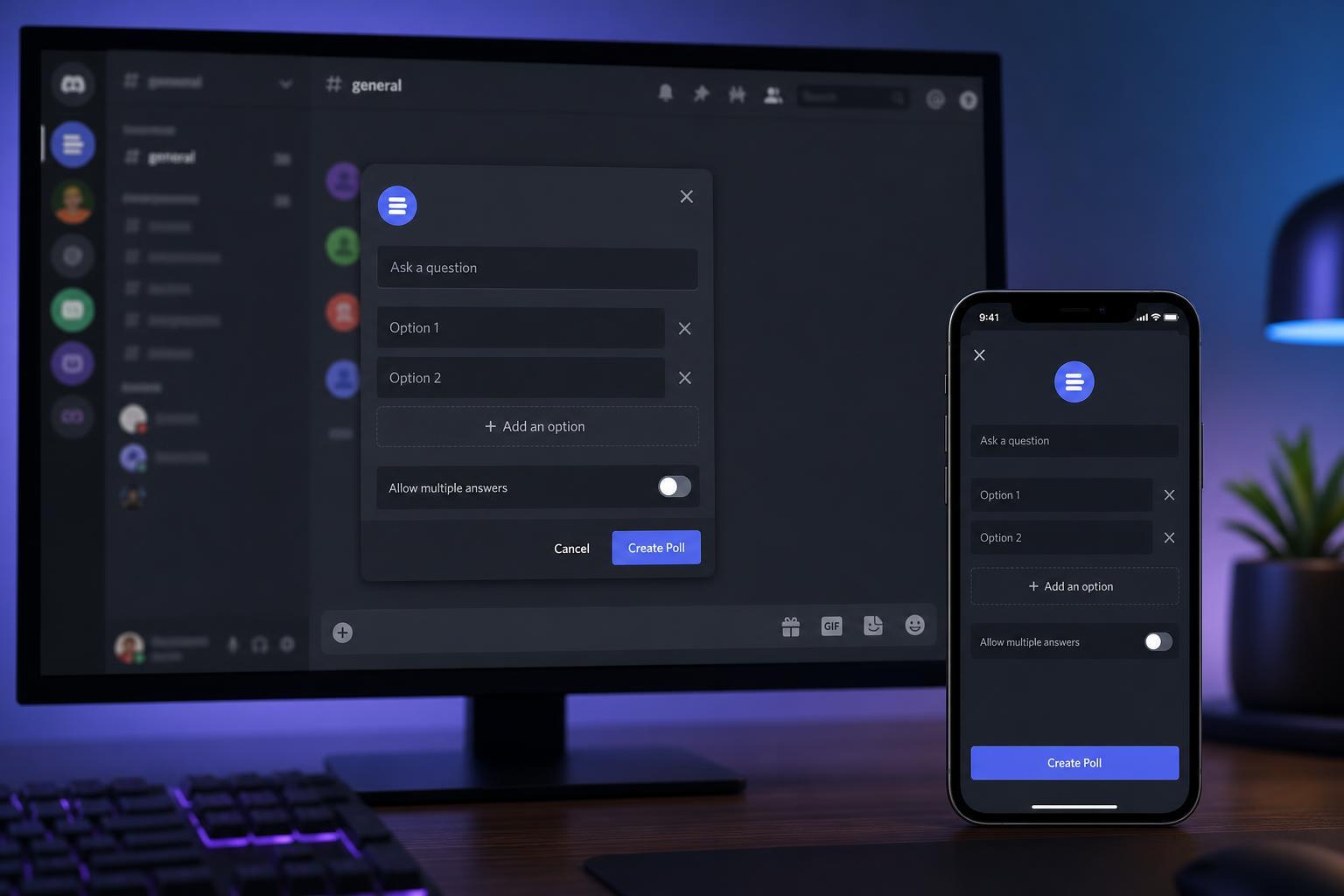
Method 1: Use Discord’s Built-In Poll Feature
If your server has access to Discord’s poll feature, this is the cleanest option. It lets people vote directly without needing extra bots or manual counting.
- Open the channel where you want to post the poll.
- Click the plus icon next to the message box on desktop, or tap the attachment/plus option on mobile if it appears in your app version.
- Choose the Poll option.
- Type your poll question.
- Add your answer choices.
- Set any available options such as whether users can choose one answer or multiple answers.
- Send the poll to the channel.
Once posted, members can vote by tapping or clicking their preferred option. The poll updates automatically, so you do not have to count reactions yourself.
Method 2: Make a Reaction Poll
If the built-in poll option is not available, a reaction poll is the simplest alternative. It works in almost any Discord channel and is especially useful for quick votes.
- Write your poll question in a message.
- Add the answer choices directly in the message, for example: Option A, Option B, Option C.
- Send the message.
- React to your own message with one emoji for each answer choice.
- Ask other members to vote by clicking the matching emoji reaction.
For clearer results, use different emojis for each option and keep the choices short. This makes the poll easier to understand at a glance, especially on mobile screens.
How to Make Polls Easier to Read
- Keep the question short and specific.
- Limit the number of answer choices when possible.
- Use clear emojis or labels for each option.
- Avoid combining multiple questions into one poll.
- Leave the poll open long enough for people in different time zones to respond.
Desktop vs Mobile: What Changes?
The basic idea is the same on desktop and mobile, but the menus may look slightly different. Desktop usually gives you more room to work with longer questions and more answer choices, while mobile is better for quick polls when you are away from your PC.
- Desktop is easier for longer polls and server administration.
- Mobile is faster for creating a quick vote on the go.
- Reaction polls work well on both platforms.
- Built-in polls are easier for members to vote on because they are neatly formatted.
Which Poll Method Should You Use?
Choose the built-in poll feature if you want a cleaner result and automatic vote handling. Use a reaction poll if you need something that works immediately and does not depend on special Discord options.
- Built-in poll: best for organized community voting
- Reaction poll: best for quick decisions and universal compatibility
A Simple Example Poll
If you are still unsure how to format one, here is a basic reaction poll example:
- Question: What game should we play tonight?
- 🅰️ Valorant
- 🅱️ Minecraft
- 🆎 Fortnite
Members can then react with the matching emoji, and you can see the winning choice by checking which reaction has the most votes.





