Leica’s new camera app aims to bring a more deliberate, camera-like shooting experience to the iPhone. Instead of relying only on Apple’s built-in Camera app, it gives you more control over how you capture photos and video, with a stronger focus on the look and feel Leica is known for.
If you are curious about what the app actually changes, what features matter most, and whether it can really make an iPhone behave more like a high-end camera, this guide breaks it down in plain language.
What Leica’s Camera App Is Trying to Do
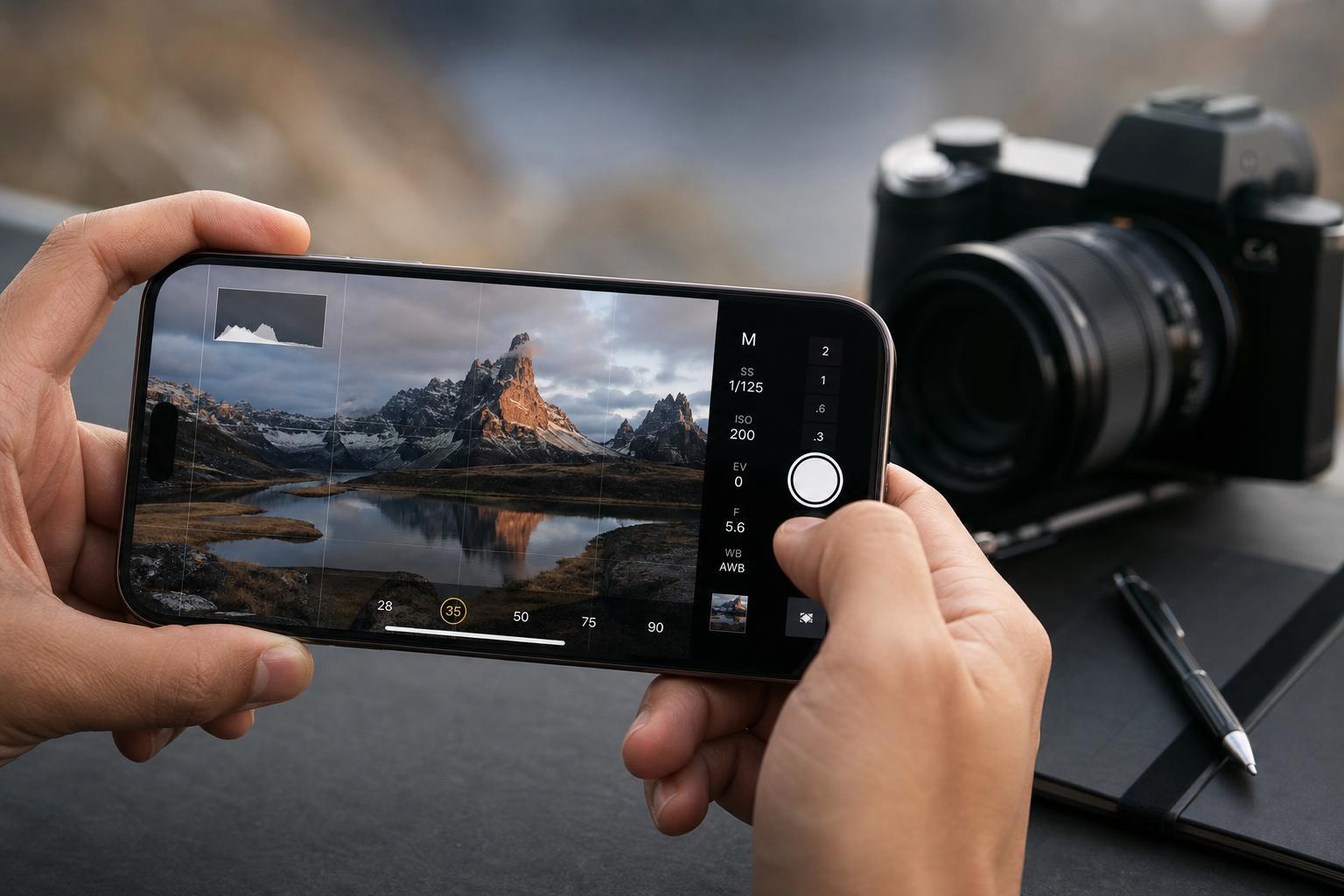
The main idea behind Leica’s app is not to magically turn an iPhone into a full-size interchangeable-lens camera. Instead, it gives you a more refined shooting experience with controls and image styles that encourage better composition, more intentional exposure, and a distinct look in the final image.
That matters because most phone cameras are designed to be fast and automatic. Leica’s approach is closer to a traditional camera workflow, where you choose a look, adjust settings, and think a little more about the shot before pressing the shutter.
What You Can Expect From the App
- Manual-style control over important camera settings such as exposure-related adjustments
- Leica-inspired color profiles or image looks that change the tone of your photos
- A cleaner, more minimal shooting interface than many default camera apps
- Potential support for better still-photo and video workflows depending on the version of the app
- A more premium feel for people who want a slower, more thoughtful way to shoot
How It Differs From the Default iPhone Camera App
Apple’s Camera app is built for speed and convenience. It decides most settings for you, which is great for everyday snapshots. Leica’s app is more interesting if you want control over the final look or if you prefer a more classic camera-style experience.
- Default iPhone Camera: fast, automatic, and simple
- Leica app: more focused on manual control and visual style
- Default app: best for quick point-and-shoot use
- Leica app: better for users who want to slow down and fine-tune results
Who Will Notice the Biggest Difference
The app is most useful for people who already care about composition, light, and editing. If you usually take fast casual photos, the benefits may feel smaller. But if you like choosing a specific style for portraits, street shots, travel photos, or social media content, the app can make the iPhone feel much more intentional.
What It Cannot Do
- It cannot create the depth and flexibility of a large interchangeable-lens camera
- It cannot fully replace optical zoom lenses with true camera optics
- It cannot remove all noise or motion blur in low light
- It cannot turn every iPhone photo into a professional studio image
What it can do is help you get closer to a more polished result by giving you better control over how the phone captures and processes the image.
When It Makes Sense to Use It
- Use it when you want a specific visual style rather than the default Apple processing.
- Use it for portraits, travel shots, and scenes where you have time to frame the photo carefully.
- Use it when you want more control over exposure and image character.
- Use it if you prefer a camera interface that feels less automated and more deliberate.
How to Decide If It Is Worth Installing
The real question is whether you value control and aesthetics more than simplicity. If you want the easiest possible way to take a good photo, the built-in Camera app is usually enough. If you want your iPhone to feel more like a serious photography tool, Leica’s app is the more interesting option.
- Choose the Leica app if you care about style, manual control, and a premium shooting experience
- Stick with the default Camera app if you want speed, convenience, and automatic handling
- Consider both if you often edit photos and want more consistent-looking results from the start
The Bottom Line
Leica’s new camera app does not literally turn an iPhone into a $10,000 camera, but it can absolutely change how your photos look and how you shoot them. For the right user, that difference is meaningful: more control, a more refined interface, and a more distinctive final image.
If you enjoy mobile photography and want your iPhone to feel more like a creative tool than a point-and-shoot device, this is the kind of app worth trying.