The iPhone 15 series has powerful rear cameras, but the raised camera bump is still easy to scratch when you place the phone on tables, drop it, or carry it in a bag with keys and coins. A good lens protector adds a thin layer of defense without changing how you use the camera.
Not every protector is the same. Some use tempered glass, some use a full camera ring design, and others focus on keeping flash performance and night shots as clean as possible. The best choice depends on how much protection you want and how important image quality is to you.
What to Look for in an iPhone 15 Camera Lens Protector
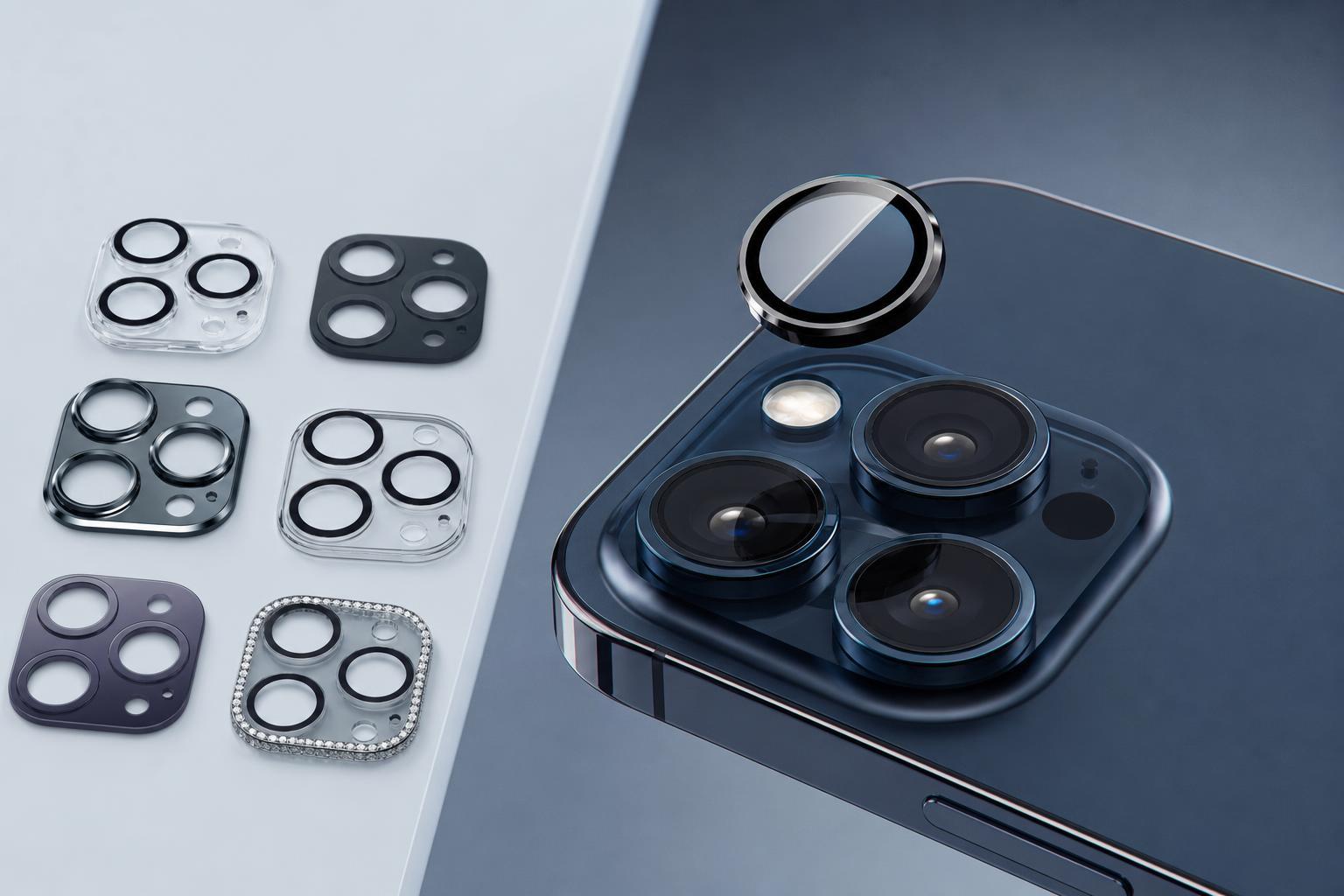
Before choosing a protector, make sure it is specifically made for your iPhone 15 model. The standard iPhone 15 and 15 Plus have a different rear camera layout from the 15 Pro and 15 Pro Max, so a protector that fits one version may not fit another properly.
- Precise cutouts for the camera, flash, and LiDAR sensor on Pro models
- Tempered glass or sapphire-style material for scratch resistance
- A slim design that does not interfere with most cases
- Anti-reflective or anti-smudge coating if you take a lot of photos
- Strong adhesive so the protector stays aligned over time
- Compatibility with night mode and flash photography
1. Spigen Camera Lens Screen Protector
Spigen’s camera lens protectors are a solid choice if you want straightforward protection with a clean fit. They are typically designed to sit flush over the camera module, which helps reduce snagging and makes them easier to use with many cases.
This type of protector is a good option for everyday users who want something simple rather than a bulky add-on. Spigen accessories also tend to focus on alignment and fit, which matters a lot on the camera bump where even a slight shift can be noticeable.
2. ESR Camera Lens Protector
ESR camera lens protectors are popular because they usually combine slim tempered glass with good transparency. That makes them appealing for people who want protection without making the camera module look heavily covered.
Many ESR designs are made to work well with cases, which is important because some protectors sit too high and can interfere with tighter-fitting case cutouts. If you switch cases often, this is worth paying attention to.
3. amFilm Camera Lens Protector
amFilm is known for protective accessories that are usually easy to apply and reasonably priced. Its camera lens protectors are often a practical choice if you want to protect the lenses without spending much.
This is a strong option for people who are careful with their phones but still want insurance against scratches from hard surfaces. It is especially appealing if you want a backup or replacement protector without paying premium prices.
4. JETech Camera Lens Protector
JETech protectors are often chosen for their straightforward installation and broad availability. If you want something easy to find and easy to replace, it is a sensible option.
The main appeal here is practicality. JETech usually focuses on getting the basics right: fit, scratch protection, and usability with a normal phone case. That makes it a good everyday pick rather than a premium specialty product.
5. TORRAS Camera Lens Protector
TORRAS often targets buyers who want a cleaner look and a more refined accessory. Its camera lens protectors are a good fit if you are worried about noticeable glare or a bulky appearance around the camera area.
If you use your iPhone 15 series camera a lot for travel, social content, or low-light shots, a better-made protector like this can be worth considering. The goal is to provide protection while staying as invisible as possible during normal use.
6. Beasyjoy Camera Lens Protector
Beasyjoy is the kind of option people often look at when they want a protector that covers the full camera area more aggressively. That can be useful if you are mainly worried about the phone being tossed into bags, pockets, or desks.
Because lesser-known brands can vary more in quality, it is worth checking that the protector is specifically made for your exact iPhone 15 model and has clear feedback from buyers about photo clarity and fit.
7. UniqueMe Camera Lens Protector
UniqueMe is often a practical pick for users who want a low-cost way to protect the rear cameras. These protectors are usually marketed as easy to install and compatible with everyday cases.
This kind of protector makes sense if you are protecting a phone that gets used hard, such as a work phone or a device carried around constantly. It may not feel as premium as some higher-end options, but it can still do the basic job well.
Which One Should You Choose?
- Choose Spigen if you want a trusted brand and balanced everyday protection.
- Choose ESR if you want a strong mix of value, clarity, and case compatibility.
- Choose amFilm if you want a budget-friendly tempered-glass option.
- Choose JETech if you want a simple, easy-to-find protector.
- Choose TORRAS if you prefer a more premium-looking option with a focus on clean photo output.
- Choose Beasyjoy if you want broader camera coverage and do not mind a lesser-known brand.
- Choose UniqueMe if you want a low-cost protector that is easy to replace.
Tips for Installing a Camera Lens Protector
- Clean the camera bump thoroughly before applying anything.
- Check the alignment against the camera cutouts before pressing it down.
- Apply gentle pressure from the center outward to avoid trapped dust or bubbles.
- Use a case afterward to help keep the protector from lifting at the edges.
- Test flash photos and night shots right after installation to make sure the protector is not causing glare.
Do You Really Need One?
If you keep your iPhone in a pocket or bag with other items, a lens protector is a sensible low-cost safeguard. It is especially useful if you often place your phone camera-side down on desks or counters.
If you already use a case with a raised camera lip and you are careful with your phone, you may not need one. But for most people, the added protection is cheap peace of mind, especially on an expensive phone with prominent rear cameras.