If you need to sketch out a room layout, plan a renovation, or map out a new space, a free floor plan website can save a lot of time. The best tools make it easy to draw walls, place doors and furniture, and preview your design without installing heavy software.
This guide focuses on free websites that are actually useful for real floor plan work, whether you want a quick layout for a single room or a more polished plan for a home, office, or property listing.
1. Floorplanner
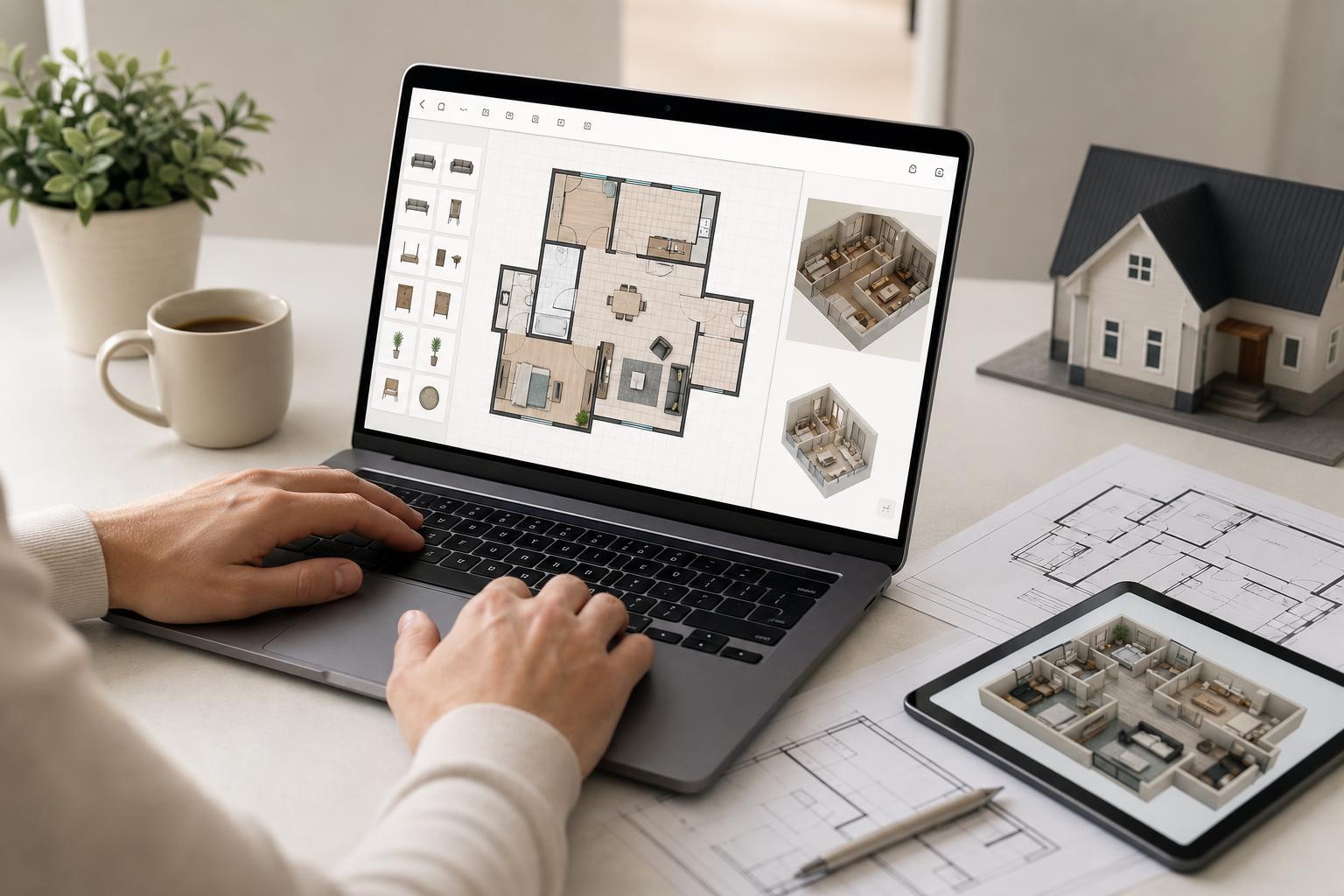
Floorplanner is one of the easiest options for creating room layouts in a browser. It is especially popular because you can start quickly, draw walls with simple tools, and add furniture from a large object library. The interface is straightforward enough for beginners, but it still gives you enough control to produce a clean plan.
2. RoomSketcher
RoomSketcher is a good choice if you want a more polished floor plan and are willing to spend a little extra time on details. It supports drawing rooms, placing furniture, and creating 2D layouts that are easy to understand. The free version is limited compared with paid plans, but it is still useful for basic projects.
3. Planner 5D
Planner 5D works well if you want both 2D floor plan drawing and a more visual design experience. You can create layouts in the browser and switch to a more realistic view of your design. That makes it helpful for planning how a room may look, not just how it measures.
4. SketchUp Free
SketchUp Free is better known for 3D modeling, but it can also be used for floor plan-related work. If you need more flexibility than a basic room planner, it gives you powerful drawing tools and a browser-based workspace. It is not the simplest option on this list, but it is a strong choice for users who want more control.
5. SmartDraw
SmartDraw includes floor plan templates and diagramming tools that make it easy to build accurate layouts. It is designed to handle more than just home layouts, so it can also be useful for office spaces, commercial areas, and other structured environments. The free access is limited, but it can still be helpful for testing the workflow.
6. MagicPlan
MagicPlan stands out because it is built around fast floor plan creation from a mobile-friendly workflow, though it also offers web access. It is especially useful when you want to capture a space quickly and turn it into a usable plan. This makes it a strong option for contractors, inspectors, and anyone measuring spaces on site.
How to Choose the Right Free Floor Plan Website
The best website depends on what you are trying to do. A simple room layout does not need the same tool as a commercial office plan or a renovation draft.
- Choose Floorplanner if you want the easiest all-around option for quick home layouts.
- Choose RoomSketcher if you want a cleaner presentation and do not mind some free-version limits.
- Choose Planner 5D if visual design matters as much as measurements.
- Choose SketchUp Free if you want more flexibility and may need 3D tools later.
- Choose SmartDraw if you need structured, diagram-style planning for business or office spaces.
- Choose MagicPlan if you need to measure a real space quickly and build a plan from it.
What to Check Before You Start
Free floor plan tools can vary a lot in what they let you export, save, and share. Before you spend time on a design, check whether the site supports the format you need, such as image export, PDF export, or project sharing. Also confirm whether the free version includes enough storage, furniture items, and room customization for your project.
- Check whether the tool supports metric or imperial measurements.
- See if you can export the plan in a format you can actually use.
- Look for furniture and door symbols that match your project.
- Confirm whether the free plan includes cloud saving or account storage.
- Test the drawing tools on a small room before starting a larger design.
Bottom Line
The best free floor plan website is the one that matches your project size and your comfort level. For quick and easy room layouts, Floorplanner and Planner 5D are strong places to begin. For more advanced work, SketchUp Free and SmartDraw offer more control, while MagicPlan is excellent when you need to capture an actual space quickly.