The iPhone 15 series supports wireless charging, but not every wireless charger will give you the same convenience, speed, or alignment. If you want a charger that works well with MagSafe accessories, holds the phone securely, and fits your desk, nightstand, or car setup, it helps to know what to look for before you buy.
This guide covers five strong wireless charging options for the iPhone 15 lineup, along with the features that make each one a better fit for different users.
What to Look for in an iPhone 15 Wireless Charger
For the iPhone 15 series, the most useful wireless chargers are usually MagSafe or MagSafe-compatible chargers. They align the phone automatically, which matters more than it might seem: poor alignment can slow charging, generate extra heat, and make the phone easier to knock off the pad.
- MagSafe support or strong magnetic alignment for easy placement
- At least 15W wireless charging if you want the fastest iPhone-compatible wireless charging
- A stable base or stand if you plan to use the phone while it charges
- USB-C input and a quality power adapter, since many chargers do not include the wall plug
- Good heat management, especially for overnight charging or long desk sessions
1. Apple MagSafe Charger
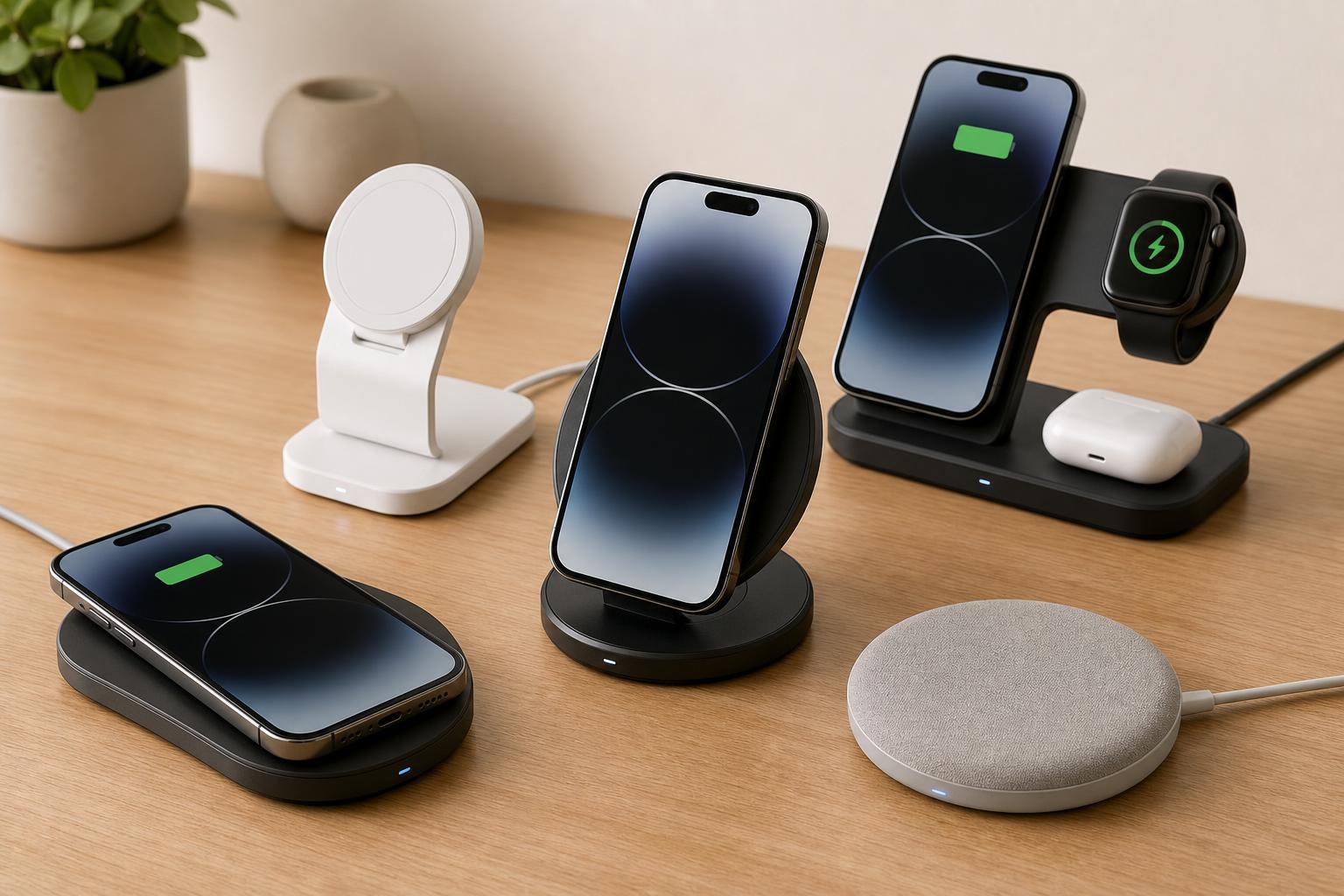
The Apple MagSafe Charger is the simplest choice if you want something made specifically around iPhone wireless charging behavior. It snaps into place magnetically and works cleanly with the iPhone 15 series, making it a safe pick for users who want maximum compatibility with minimal guesswork.
- Strong magnetic alignment with supported iPhone models
- Compact and easy to carry
- Works well with MagSafe cases and accessories
- Simple, no-frills design
Its main limitation is that it is just a charging puck, so it is less convenient if you want to see notifications, watch videos, or use StandBy mode at an angle.
2. Belkin BoostCharge Pro 2-in-1 Wireless Charging Stand with MagSafe
If you want a charger that doubles as a desk or nightstand stand, the Belkin BoostCharge Pro 2-in-1 style charger is a strong option. A stand keeps the iPhone upright, which is helpful for calls, message previews, and StandBy mode use on the iPhone 15 series.
- Useful upright viewing angle
- Magnetic alignment keeps the phone positioned correctly
- Better for regular daily use than a flat charging puck
- Often supports charging for another device alongside the phone, depending on model
This type of charger is especially practical if your phone is your alarm clock, second screen, or video-call device while it charges. The trade-off is that stands usually take up more space than a flat pad.
3. Anker 313 Magnetic Wireless Charger
Anker’s magnetic charging pads are a good fit for people who want a simple, affordable MagSafe-style experience without moving to a larger stand. The 313 Magnetic Wireless Charger is easy to place on a desk or travel with, and the magnetic ring helps the iPhone 15 stay centered.
- Small and travel-friendly
- Magnetic alignment helps reduce misplacement
- Usually more affordable than premium Apple-branded options
- Good for basic overnight charging
This is a better choice if you mainly want a charging spot and do not need an adjustable stand or multi-device dock. As with most chargers in this category, you should check whether a power adapter is included before buying.
4. Spigen Mag Fit Wireless Charger Stand
Spigen’s Mag Fit-style charger stands are useful when you want a clean desktop setup without paying for the most premium options. A charging stand is particularly handy if you use the iPhone 15 series for FaceTime, notifications, timers, or quick glances at the screen during the day.
- Hands-free viewing while charging
- Convenient for calls and notifications
- Magnetic placement makes daily use easier
- Usually designed with a simple, modern look
The main thing to check with stand-style chargers is whether the viewing angle works for your desk or nightstand. A good angle makes the difference between a useful accessory and one that feels awkward every time you set the phone down.
5. Anker 737 MagGo Wireless Charging Station
If you want one charging station for more than just the iPhone, a multi-device option such as Anker’s MagGo charging station can be a better long-term buy. These chargers are convenient for users with an Apple Watch, AirPods, or other Qi-compatible devices who want fewer cables on the desk.
- Helps reduce cable clutter
- Useful for charging multiple Apple devices together
- Good for a shared nightstand or office setup
- Often more efficient than buying separate chargers for each device
This type of charger makes the most sense when you already own several wireless-chargeable devices. If you only need to charge the iPhone, a simpler MagSafe pad or stand may be a better value.
Which Charger Is Best for Most iPhone 15 Users?
For most people, the best choice is the charger that matches how they actually use the phone. A flat MagSafe puck is the easiest answer for basic charging, while a stand is better if you want to use the screen while the phone charges.
- Best overall simplicity: Apple MagSafe Charger
- Best desk/nightstand stand: Belkin BoostCharge Pro 2-in-1 Wireless Charging Stand
- Best budget magnetic pad: Anker 313 Magnetic Wireless Charger
- Best work-from-home setup: Spigen Mag Fit Wireless Charger Stand
- Best multi-device solution: Anker MagGo Wireless Charging Station
Before You Buy
A wireless charger is only as good as the power setup behind it. Some chargers require a separate USB-C power adapter to reach their advertised charging performance, and using a weak adapter can reduce speed or cause inconsistent charging.
Choosing the Right Charger for Your Setup
The best wireless charger for the iPhone 15 series depends on where and how you charge most often. If you charge overnight, a stable flat pad is enough. If you check your phone constantly, a stand is more useful. If you travel often, a compact magnetic puck is easier to pack. And if you want a single charging area for your iPhone and accessories, a multi-device station is the cleanest option.