A power bank for a MacBook Air has to do more than charge a phone. It needs USB-C Power Delivery, enough wattage to keep the laptop usable, and enough capacity to be worth carrying. The wrong choice may charge too slowly, shut off under load, or add a lot of weight without giving you much runtime.
This guide focuses on the kinds of power banks that make sense for MacBook Air owners: compact models for light top-ups, higher-capacity options for real work sessions, and travel-friendly choices that balance size, speed, and safety.
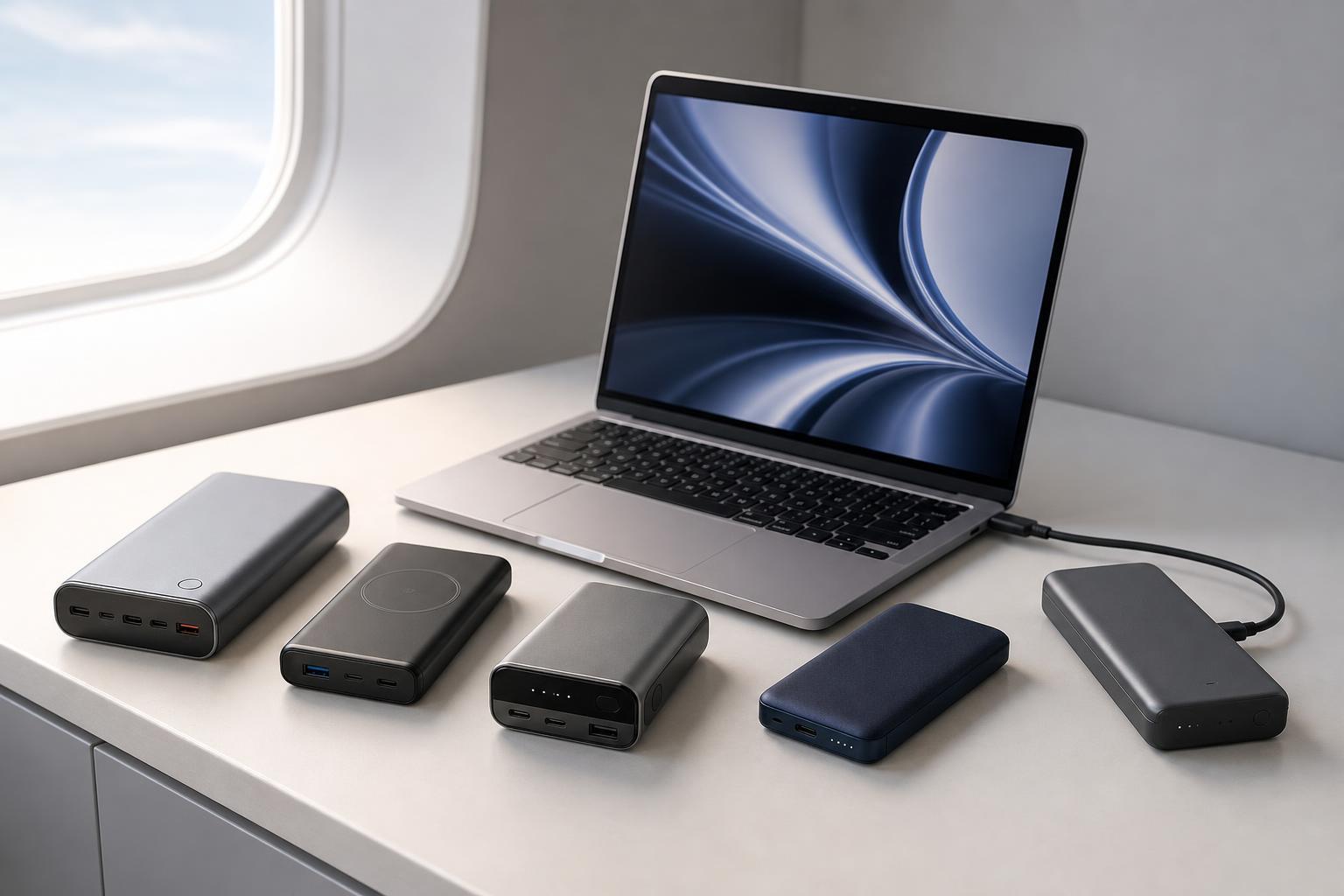
What a MacBook Air Power Bank Needs
Before looking at specific options, it helps to understand the features that matter most. A MacBook Air can charge from USB-C, but not every USB-C battery pack can supply enough power for meaningful charging while you use the laptop.
- USB-C Power Delivery: This is the charging standard you want for a MacBook Air. It allows faster and more efficient charging than basic USB output.
- Adequate wattage: Look for a power bank that can deliver at least 30W, with 45W to 65W being a more comfortable range for most MacBook Air models.
- Enough capacity: A larger battery gives you more runtime, but it also adds weight and bulk. Capacity is measured in mAh or Wh, and real-world results are always lower than the label suggests.
- A USB-C output port: Some power banks only support USB-C input for recharging the battery itself. Make sure the port can also output power to the MacBook.
- Pass-through behavior and heat management: Some models get hot or reduce output when charging and discharging at the same time, which matters if you use them a lot on the go.
1. Best Overall: A 65W USB-C Power Bank with 20,000mAh Capacity
For most MacBook Air users, the best overall choice is a 20,000mAh power bank that supports 65W USB-C Power Delivery. This is the most practical balance of size, charging speed, and usable runtime. It is usually strong enough to charge a MacBook Air while you work, and large enough to provide multiple phone charges as well.
Why it stands out: 65W output gives the MacBook Air enough power to charge properly instead of merely slow-draining. The 20,000mAh class is also easier to carry than very large laptop power stations, making it one of the most versatile options.
2. Best for Travel: A Compact 10,000mAh USB-C PD Power Bank
If your main goal is to stretch your MacBook Air through a flight, train ride, or a few hours away from an outlet, a compact 10,000mAh power bank can make sense. It will not fully recharge the laptop, but it can buy you valuable extra time without adding much weight to your bag.
- Smaller and lighter than larger laptop battery packs
- Good for emergency charging and short work sessions
- Easier to carry every day
- Usually less expensive than higher-capacity models
The tradeoff is obvious: less capacity means less runtime. A 10,000mAh unit is best when portability matters more than total charging power.
3. Best for Frequent Charging: A High-Capacity 24,000mAh to 27,000mAh Power Bank
If you often work away from outlets for long periods, a high-capacity power bank in the 24,000mAh to 27,000mAh range can be the most useful option. These models usually offer stronger laptop support and more total charge cycles for phones, earbuds, and tablets.
This category is less about portability and more about endurance. Expect more weight and a larger footprint, but also a better chance of getting through a full workday away from wall power.
4. Best Budget Choice: A 30W USB-C Power Bank
A budget-friendly 30W USB-C power bank can work well for light MacBook Air use, especially if you only need to slow the drain or add a bit of extra battery life during meetings and classes. It is not the fastest option, but it is often the cheapest way to get laptop-capable charging.
This type of power bank is best when you are on a budget and your charging needs are modest. If you work with the MacBook Air heavily while charging, stepping up to 45W or 65W is usually worth it.
5. Best Premium Option: A Slim GaN-Style Power Bank with Fast USB-C Charging
Premium power banks often combine high wattage, better efficiency, and a more compact design. For MacBook Air owners, the most appealing versions are usually slim USB-C battery packs that can deliver 45W to 65W while staying relatively portable.
- Usually supports better USB-C output than cheap basic models
- More likely to include multiple ports and clearer battery indicators
- Often has better thermal control and fit-and-finish
- Can be easier to use with other USB-C devices, not just a MacBook Air
This is the best choice if you charge a laptop often and want a power bank that feels like a proper part of your everyday carry setup.
How to Choose the Right One for Your MacBook Air
The best power bank depends on how you use your laptop. A student moving between classes has different needs from a consultant working on the road or a traveler trying to stretch battery life during a long day.
- Choose your minimum wattage first. For a MacBook Air, start at 30W, but 45W or 65W is better if you want reliable charging while working.
- Decide how much capacity you actually need. Use 10,000mAh for light top-ups, 20,000mAh for balanced portability, and 24,000mAh or more for long days away from outlets.
- Check the USB-C port carefully. It must support output, not only input.
- Look for Power Delivery support. Without it, the power bank may charge the MacBook Air too slowly.
- Consider size and weight. A larger battery is only useful if you are willing to carry it.
- Review travel limits if you fly often. Larger lithium batteries may be restricted on airplanes.
Common Mistakes to Avoid
- Buying a power bank based only on mAh and ignoring wattage
- Assuming any USB-C port can charge a laptop
- Choosing a model that only supports phone charging speeds
- Overlooking the extra weight of large battery packs
- Forgetting to check airline battery rules before traveling with a high-capacity unit
What This Means for MacBook Air Owners
The best power bank for a MacBook Air is not simply the biggest battery you can buy. It is the one that delivers enough USB-C Power Delivery output, stays portable enough to carry, and matches the way you actually use your laptop.
For most people, a 20,000mAh 65W USB-C power bank is the most useful starting point. If portability matters more, go smaller. If you need all-day backup power, move up in capacity. Choosing the right balance matters more than chasing the highest number on the packaging.