
The Samsung Galaxy Z Fold 5 and Galaxy Z Flip 5 have flexible displays that can make the right wallpaper look especially good. A great wallpaper should look sharp, match the phone’s aspect ratio, and still work well when the device is folded, unfolded, or shown on the cover screen.
This guide covers 34 wallpaper ideas that suit both phones, along with tips for picking images that stay clear, avoid awkward cropping, and make the most of Samsung’s foldable screens.
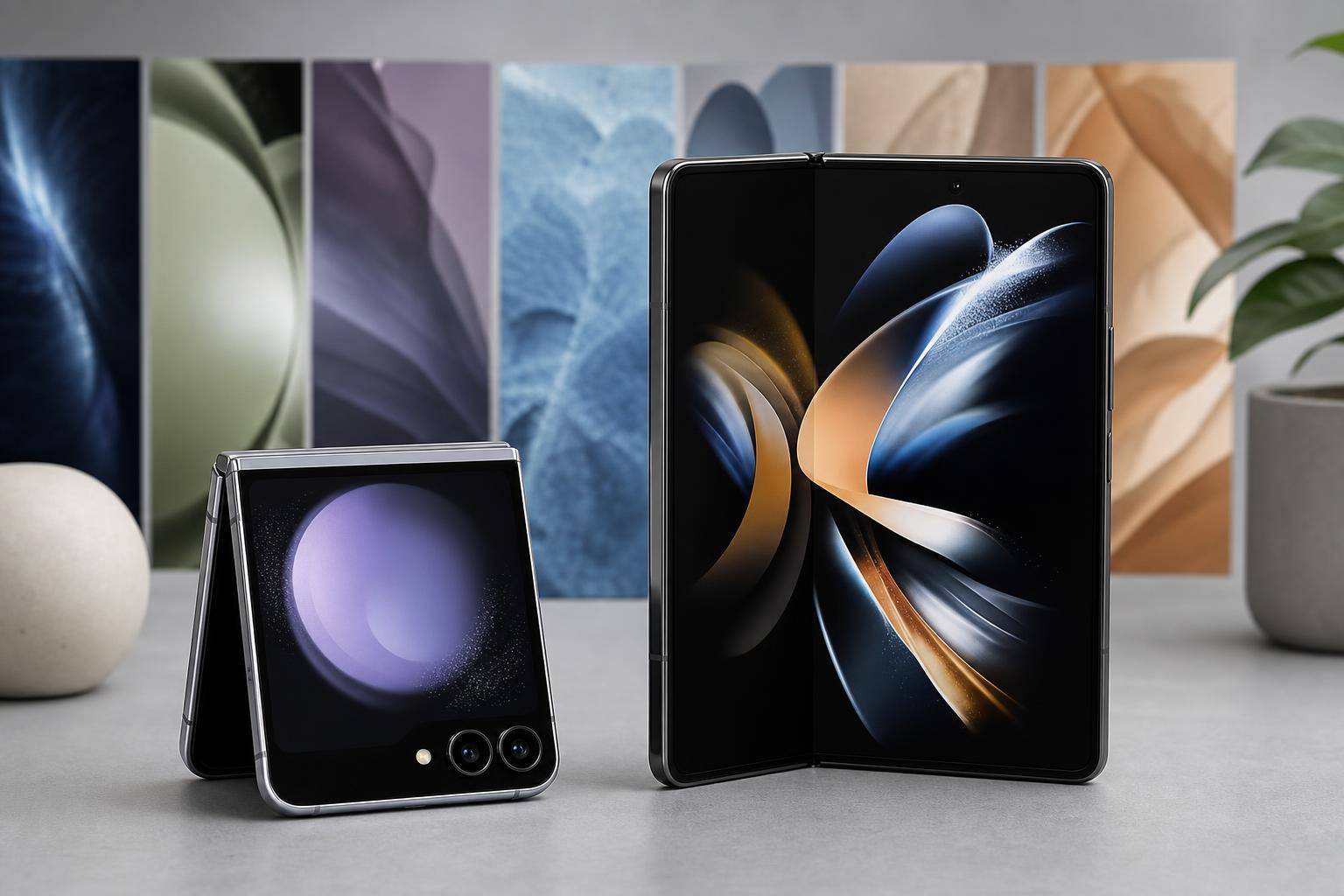
What Makes a Good Wallpaper for the Z Fold 5 and Z Flip 5?
Foldables can show wallpapers in more than one way, so it helps to choose images that remain readable and balanced across different screen shapes. A wallpaper that looks perfect on the inner display may be cropped too tightly on the cover screen, and a vertical image that works on the Flip 5 may feel too narrow on the Fold 5’s main display.
- Use 4K or high-resolution images when possible so the wallpaper stays crisp on both displays.
- Choose compositions with a clear subject near the center if you want to avoid awkward cropping.
- Pick darker wallpapers if you want icons and widgets to stand out more easily.
- Use brighter or more colorful wallpapers if you want the phone to feel more lively and personal.
- Check how the image looks both folded and unfolded before settling on it.
34 Cool Wallpaper Ideas for the Galaxy Z Fold 5 and Z Flip 5
- Minimal black gradient wallpaper for a clean, premium look that makes app icons and widgets easy to see.
- Abstract blue and purple wave wallpaper with soft curves that fits Samsung’s sleek design language.
- Neon city skyline wallpaper for a bright, high-contrast look that stands out on the cover screen.
- Dark space wallpaper with stars and a distant planet for a dramatic foldable-friendly style.
- Mountain landscape at sunset for a balanced wallpaper that works well on both portrait and landscape crops.
- Geometric lines and triangles wallpaper for a modern, tech-focused appearance.
- Ocean shoreline wallpaper with soft blues and sand tones for a calm everyday look.
- Red and black gaming wallpaper for users who want something bold and energetic.
- Galaxy swirl wallpaper with deep purples and glowing highlights for a premium AMOLED-friendly feel.
- Minimal white wallpaper with subtle texture for a very clean and distraction-free home screen.
- Cyberpunk street scene wallpaper with bright signs and reflective surfaces for a futuristic style.
- Forest fog wallpaper for a natural, moody look that still remains easy on the eyes.
- Orange and gold abstract wallpaper for a warm color palette that feels lively without being too busy.
- Anime-style wallpaper with a centered character for fans who want something personal and expressive.
- Metallic silver wallpaper with brushed texture for a refined, hardware-inspired look.
- Sunrise over clouds wallpaper for a soft, uplifting image that works well on both screens.
- Black hole or deep-space wallpaper for a dramatic dark theme that helps battery-conscious users keep a mostly dark display.
- Watercolor pastel wallpaper for a gentle, stylish look that suits the Flip 5 especially well.
- Retro grid wallpaper for a nostalgic tech vibe.
- Mountain lake reflection wallpaper for a symmetrical composition that works well on tall screens.
- Minimal Samsung-style blue abstract wallpaper for a subtle matching look.
- High-contrast black and gold wallpaper for a luxury feel.
- Pixel art city wallpaper for a playful and nostalgic appearance.
- Macro leaf wallpaper for a close-up natural texture that still looks sharp at 4K.
- Frosted glass wallpaper effect for a soft, modern interface background.
- Sci-fi tunnel wallpaper for a sense of depth that looks good on OLED displays.
- Desert dunes wallpaper for warm tones and smooth curves.
- Chrome and neon wallpaper for a flashy, futuristic setup.
- Minimal clock-face wallpaper with lots of negative space for people who use large widgets.
- Underwater jellyfish wallpaper for vivid colors and glowing highlights.
- Rainy window wallpaper for a cozy, cinematic look.
- Blue marble wallpaper for a polished and elegant background.
- Fire and smoke wallpaper for a more intense, dramatic home screen.
- Soft pastel gradient wallpaper for users who want something simple, colorful, and clean.
How to Choose the Right Wallpaper for Each Foldable Screen
If you use the Galaxy Z Fold 5, think about whether the wallpaper needs to look good mainly on the cover screen, the main inner display, or both. Images with a strong center composition usually survive cropping better, while detailed edge-to-edge scenes may be trimmed in awkward ways.
If you use the Galaxy Z Flip 5, vertical wallpapers usually work best because the cover screen is tall and narrow. Simple compositions often look better here than busy scenes, especially if you want room for the clock, notifications, and widgets.
- For the Fold 5: choose wide or balanced compositions with a clear focal point.
- For the Flip 5: choose tall wallpapers or vertically centered images.
- For both: avoid important details near the extreme edges if you do not want them cropped away.
- For both: test the wallpaper with your icons and widgets before locking it in.
Practical Tips for Setting Up Wallpapers on Samsung Foldables
- Open the image in your Gallery app and preview it before applying it as wallpaper.
- Adjust the crop carefully so the most important part of the image stays visible.
- Try one wallpaper for the home screen and a different one for the lock screen if you want better readability.
- Use darker wallpapers if you rely on many icons, widgets, or a custom theme.
- Save a few favorites so you can switch styles depending on the season or your mood.
Best Wallpaper Styles for Each Type of User
Getting the Most Out of 4K Wallpapers
A 4K image gives you more room to crop without losing sharpness, which is especially helpful on foldable devices. Even if the phone does not display the full resolution everywhere, starting with a high-quality image usually gives better results than using a compressed or low-resolution picture.
If you like changing wallpapers often, keep a small collection organized by style: dark, bright, minimal, and character-based. That makes it easier to match your wallpaper to your current theme without spending time searching again.
Which Wallpaper Style Should You Try First?
If you are not sure where to start, choose a dark abstract wallpaper for the best all-around result. It usually looks clean, works well with widgets, and fits both the premium design of the Fold 5 and the compact cover screen of the Flip 5.
If you want something more personal, pick a wallpaper that reflects your favorite color, game, place, or art style. On foldables, a wallpaper that fits your daily use is usually better than one that only looks impressive in a preview.





