
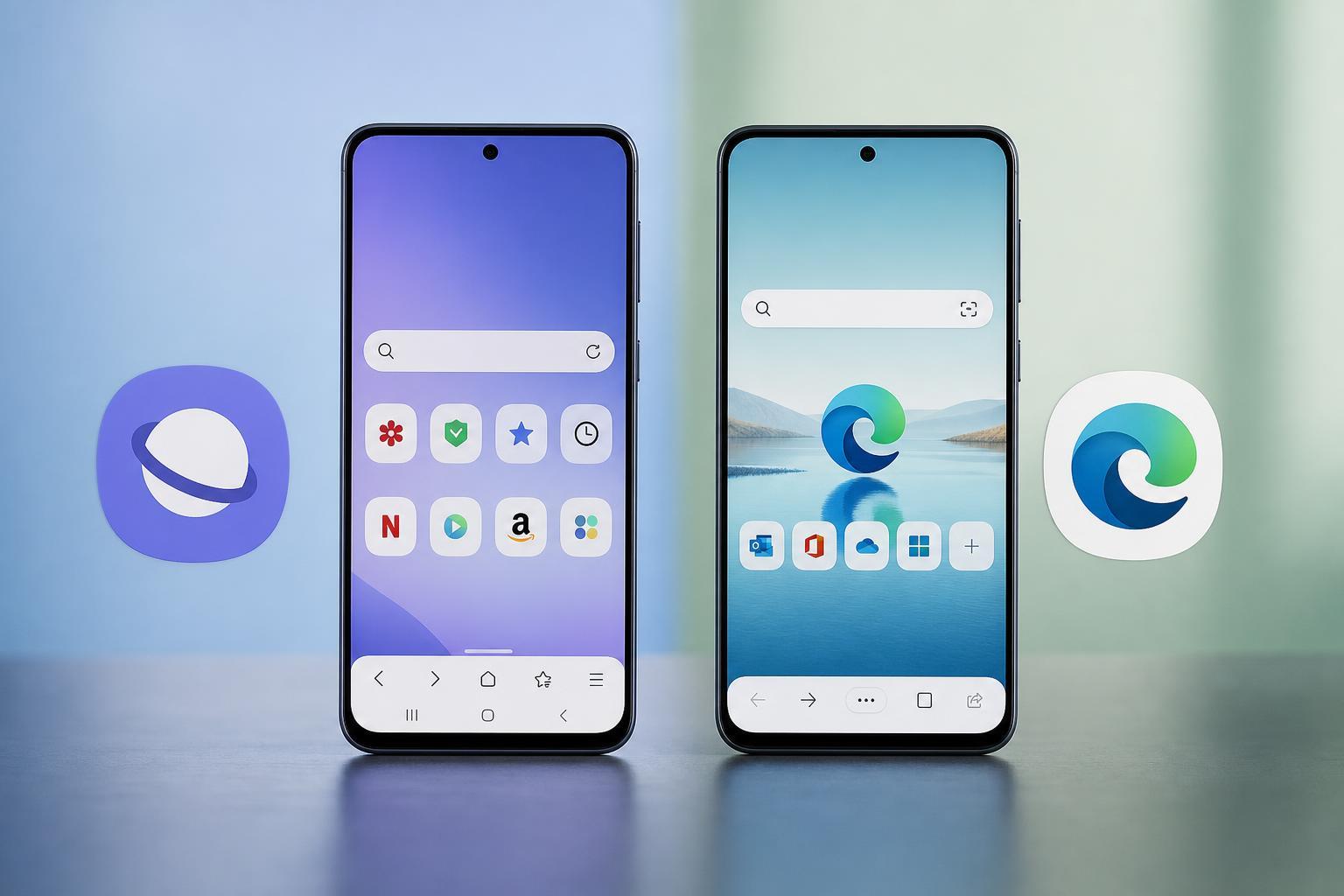
Samsung Internet and Microsoft Edge are two capable Android browsers, but they appeal to different kinds of users. Samsung Internet focuses on clean mobile browsing, one-handed use, and Samsung-friendly features, while Microsoft Edge is built around syncing with Windows, Microsoft services, and cross-device convenience.
The better browser depends on what matters most to you: speed, privacy controls, ad blocking, desktop syncing, or how well the browser fits into your phone and PC workflow.
Quick Verdict
If you want the best browser for comfortable everyday use on a Samsung phone, Samsung Internet usually feels more polished and mobile-first. If you use Windows and Microsoft services heavily, Microsoft Edge is often the better choice because it syncs more naturally across devices.
Samsung Internet vs Microsoft Edge: The Main Differences
- Samsung Internet is designed primarily for Android browsing, especially on Samsung devices.
- Microsoft Edge is part of a broader Microsoft ecosystem and is more attractive if you use the same browser on Windows and mobile.
- Samsung Internet feels simpler and more focused on phone use, while Edge offers more cross-platform features and account integration.
- Both browsers support extensions in different ways, but Samsung Internet's mobile experience is usually easier for everyday touch use.
- Edge is stronger for people who rely on syncing history, favorites, passwords, and open tabs across devices.
Interface and Ease of Use
Samsung Internet is built with mobile ergonomics in mind. Controls are easy to reach, menus are straightforward, and the browser is generally comfortable for one-handed use. It feels like a browser made for phones first, not a desktop browser squeezed onto Android.
Microsoft Edge on Android is clean and modern, but it can feel slightly more cluttered if you use a lot of Microsoft account features. It is still easy to use, but its interface is more focused on syncing and ecosystem features than on pure mobile simplicity.
Performance and Speed
In normal use, both browsers are fast enough for everyday Android browsing. Page loading often depends more on your connection and the website itself than on a dramatic difference between these two browsers.
Samsung Internet often feels light and responsive on Samsung phones, especially when it is well integrated with the device. Microsoft Edge is also capable and can handle demanding websites well, but it may feel a little more feature-heavy because of its broader syncing and account tools.
Privacy and Tracking Controls
Both browsers include privacy features, but Samsung Internet stands out for its easy-to-access tracker blocking and straightforward privacy controls. It is a strong option if you want a browser that makes mobile privacy settings simple to manage.
Microsoft Edge also includes tracking prevention and privacy options, but its privacy experience is often tied more closely to Microsoft account features and ecosystem settings. It is good, but not always as cleanly mobile-focused as Samsung Internet.
Ad Blocking and Extensions
Samsung Internet has an advantage if you want quick access to ad-blocking add-ons. On Android, this can make a big difference because it improves readability, reduces clutter, and can make some sites easier to use.
Microsoft Edge supports add-ons on mobile in some regions and configurations, but the experience is not always as simple or broadly useful as Samsung Internet's mobile add-on ecosystem. If ad blocking is a priority, Samsung Internet usually has the edge.
Syncing With Windows and Other Devices
This is where Microsoft Edge clearly shines. If you use Windows 10 or Windows 11, Edge makes it easy to sync bookmarks, passwords, history, and open tabs between your phone and PC.
Samsung Internet can sync some data too, especially if you are invested in Samsung and related services, but it is not as universally useful for people who move between Android and Windows all day.
Battery Use and Resource Efficiency
Neither browser is notorious for poor battery life in normal use, but lighter browsing features can make a difference over time. Samsung Internet can feel efficient on Samsung phones because it is designed around the Android experience Samsung provides.
Edge is not especially heavy for most users, but its broader feature set may make it feel less minimal. If you keep many Microsoft features enabled, the browser may do more in the background than a simpler mobile browser.
Features Worth Knowing About
Samsung Internet includes several mobile-friendly features that many Android users appreciate, such as a tidy interface, privacy tools, and convenient browsing controls. It is especially practical for reading articles and browsing with one hand.
Microsoft Edge offers stronger cross-device features, plus Microsoft account integration, reading tools, and a familiar layout for people who already use Edge on desktop. Its strength is less about being the most mobile-first browser and more about being a bridge between phone and PC.
- Samsung Internet strengths: mobile-first design, easy privacy controls, ad-blocking support, comfortable one-handed use
- Microsoft Edge strengths: Windows syncing, Microsoft account integration, cross-device continuity, familiar desktop-browser ecosystem
- Both: tab management, private browsing, saved passwords, and modern web compatibility
Which Browser Is Better for Different Users?
- Choose Samsung Internet if you use a Samsung phone and want the best possible mobile browsing experience with a clean interface.
- Choose Samsung Internet if ad blocking and simple privacy controls matter more than syncing with Windows.
- Choose Microsoft Edge if you use a Windows PC and want your browsing data to follow you between phone and desktop.
- Choose Microsoft Edge if you already use Microsoft services such as OneDrive, Outlook, or a Microsoft account for daily work.
- Choose Samsung Internet if you prefer a browser that feels lighter, simpler, and more centered on touch input.
- Choose Microsoft Edge if you value ecosystem integration more than mobile-specific polish.
The Bottom Line
Samsung Internet is usually the better pure Android browser, especially on Samsung phones. It is easier to use on a small screen, offers strong mobile-focused features, and feels designed for everyday browsing on a phone.
Microsoft Edge is the better choice if your browser has to connect smoothly with Windows and Microsoft services. For many people, that syncing advantage outweighs the fact that Samsung Internet feels better on the phone itself.
Which One Should You Install?
If you browse mostly on Android and do not care much about Windows syncing, start with Samsung Internet. If you regularly move between your phone and a Windows PC, install Microsoft Edge and make it your primary browser.
The easiest way to decide is to think about your daily habits: mobile comfort points to Samsung Internet, while cross-device convenience points to Microsoft Edge.





