
If you copy and paste often on Android, a keyboard with a built-in clipboard can save a lot of time. Instead of losing text as soon as you copy something new, you can keep recent clips, pin useful snippets, and paste them later when needed.
Not every Android keyboard handles the clipboard the same way. Some offer simple recent-item history, while others let you pin text, organize snippets, or sync across devices. Here are five solid options worth considering.
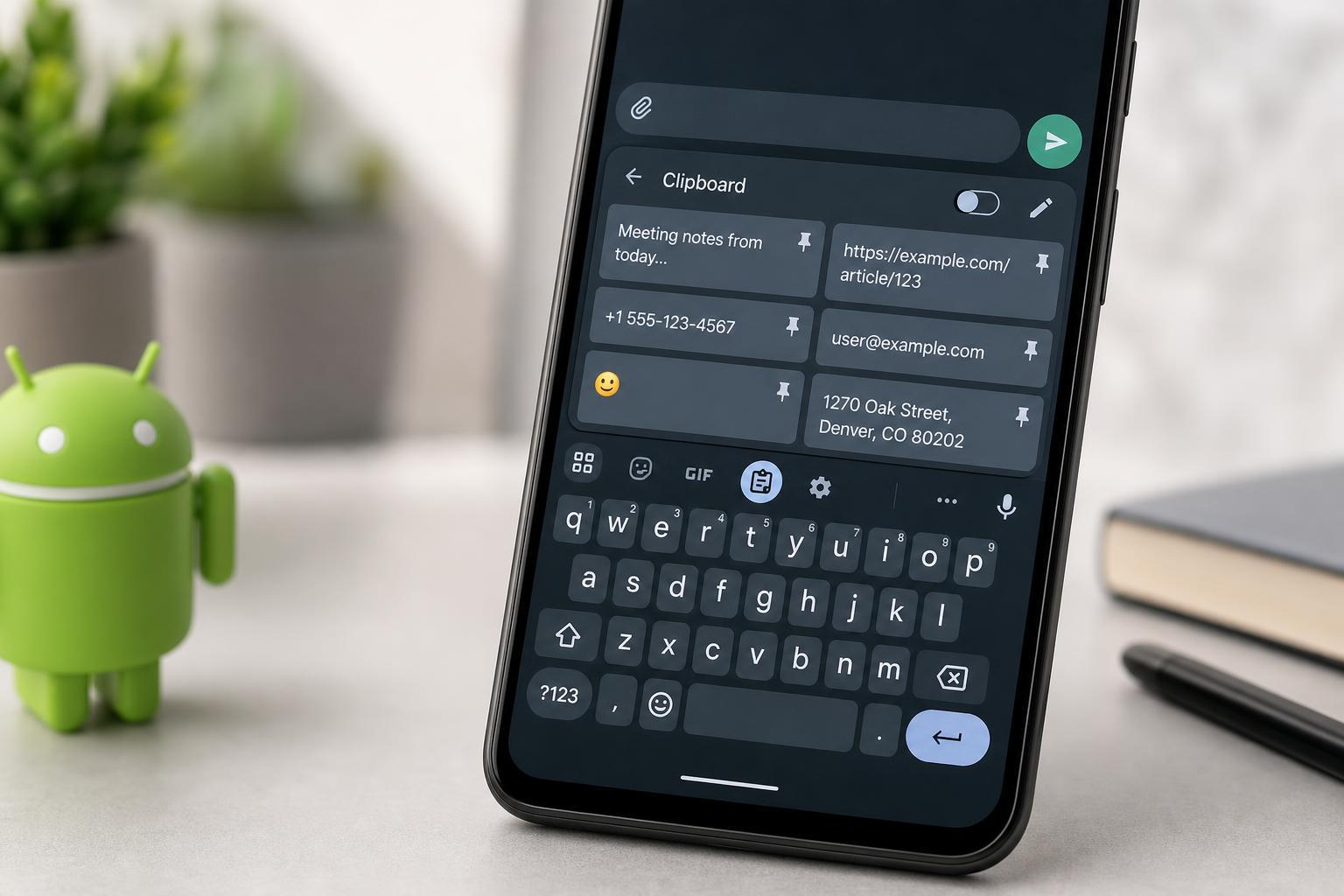
1. Gboard
Google’s Gboard is one of the most widely used Android keyboards, and its clipboard feature is easy to access from the toolbar or suggestion strip. It keeps recently copied text available for a short period, and you can pin items you want to keep longer.
Gboard is a strong choice if you want a clean keyboard that does the basics well. It works especially well for quick copying and pasting, and it includes other useful features such as glide typing, translation, and search integration.
2. Microsoft SwiftKey
Microsoft SwiftKey includes a clipboard manager that can store copied text and make it easy to reuse common phrases, addresses, or short responses. You can pin clips so they stay available, which is helpful if you repeatedly paste the same information.
SwiftKey is also known for accurate predictions and personalization. If you type a lot of messages or work across several apps, the combination of a smart keyboard and clipboard history makes it a practical option.
3. Samsung Keyboard
Samsung Keyboard includes clipboard access directly from the keyboard toolbar, making it convenient for Galaxy users who do not want to install a separate app. It can keep recently copied items available and lets you paste them quickly inside supported apps.
Because it is built into Samsung’s software, it tends to fit the phone well and feel consistent with the rest of the interface. That makes it a good choice if you want clipboard support without changing your keyboard habits too much.
4. AnySoftKeyboard
AnySoftKeyboard is an open-source Android keyboard that supports clipboard functionality through its tools and extensions. It is a good option if you prefer something more lightweight or want a keyboard that feels less tied to a larger ecosystem.
It may not feel as polished as Gboard or SwiftKey, but it is flexible and well suited to users who value customization and a more minimal setup. If you are comfortable adjusting settings, it can be a capable everyday keyboard with clipboard support.
5. Clipboard Keyboard by Developers and Niche Keyboard Apps
Some Android keyboards are built specifically around clipboard management. These apps often provide longer clipboard histories, pinned items, folders, and quick access to saved text snippets. They are useful if your main goal is pasting repeated text efficiently rather than typing as fast as possible.
The downside is that these niche keyboards may not be as refined in autocorrect, layout, or long-term support. Before switching, it is worth checking whether the app is actively maintained and whether its permissions match your comfort level.
What to Look for in an Android Keyboard With Clipboard Support
- Clipboard history length: Some keyboards keep only a few recent items, while others let you save much more.
- Pinning support: Pinned clips stay available even after you copy something new.
- Ease of access: The clipboard should be easy to open from the keyboard toolbar or menu.
- Privacy controls: Check whether the keyboard sends data to cloud services or keeps everything on-device.
- Typing quality: A great clipboard is less useful if the keyboard itself is uncomfortable to use.
- Device compatibility: Some keyboards work better on certain brands or Android versions than others.
How to Choose the Right One
- Choose Gboard if you want a simple, reliable keyboard with a basic clipboard.
- Choose SwiftKey if you want strong predictions and a more polished clipboard manager.
- Choose Samsung Keyboard if you already use a Galaxy phone and want the built-in option.
- Choose AnySoftKeyboard if you want open-source software and lighter features.
- Choose a niche clipboard-focused keyboard only if saving and pasting snippets is your main priority.
A Few Things to Check Before You Rely on Clipboard History
Clipboard items on Android do not always stay forever. Some keyboards clear history after a short time, and some apps may block pasting from the clipboard for security reasons. That means a clipboard feature is great for convenience, but it should not replace a proper note app or password manager for sensitive information.
It is also a good idea to avoid storing passwords, bank details, or other private information in a keyboard clipboard unless you fully understand how that app handles security and syncing.
Which Android Keyboard With a Clipboard Is Best?
For most users, Gboard and Microsoft SwiftKey are the easiest recommendations because they combine a good typing experience with practical clipboard tools. Samsung Keyboard is the best no-install option for Galaxy owners, while AnySoftKeyboard is a better fit for people who want a lighter or more open-source alternative.
If you mostly copy short bits of text throughout the day, any of these can help. If you need a clipboard for repeated business replies, saved templates, or frequent snippets, prioritize pinning and easy access over extra typing features.





